Mono.Cecil 是 Mono 專案旗下的組件操作庫,支援讀取、修改、寫入 .NET 組件 (DLL/EXE),不需載入至 AppDomain,效能優於 System.Reflection.Emit,且能直接修改現有組件。Reflector 等工具亦以此為核心庫。
ModuleDefinition:組件模組入口,ReadModule(path) 載入。TypeDefinition:型別定義,含 Methods, Fields, Properties 等集合。MethodDefinition:方法定義,Body.Instructions 為 IL 指令串列。ILProcessor:指令編輯器,InsertBefore/After, Replace, Create(OpCode, operand)。TestApp.exenamespace TestApp
{
class Program
{
static void Main() { Console.WriteLine("Main"); }
private static void Before() { Console.WriteLine("Before"); }
private static void After() { Console.WriteLine("After"); }
}
}
CecilTest.exeusing Mono.Cecil;
using Mono.Cecil.Cil;
using System.Linq;
namespace CecilTest
{
class Program
{
static void Main(string[] args)
{
if (args.Length != 1) { Console.WriteLine("Usage: CecilTest TestApp.exe"); return; }
var module = ModuleDefinition.ReadModule(args[0]);
var progType = module.Types.First(t => t.Name == "Program");
var main = progType.Methods.First(m => m.Name == "Main");
var before = progType.Methods.First(m => m.Name == "Before");
var after = progType.Methods.First(m => m.Name == "After");
var il = main.Body.GetILProcessor();
// 在第一條指令前插入 call Before
il.InsertBefore(main.Body.Instructions[0], il.Create(OpCodes.Call, before));
// 在最後一條指令 (ret) 前插入 call After
il.InsertBefore(main.Body.Instructions.Last(), il.Create(OpCodes.Call, after));
module.Write(args[0] + ".exe");
Console.WriteLine("Done");
}
}
}
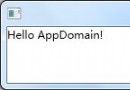
TestApp.exe → 輸出 MainTestApp.exe.exe (修補後) → 輸出 Before, Main, After| 特性 | Cecil | Reflection.Emit |
|---|---|---|
| 修改既有組件 | ✅ 直接讀寫 | ❌ 需重新產生動態組件 |
| 需載入組件執行 | ❌ 純元資料操作 | ✅ 需載入 |
| 區域變數定義 | method.Body.Variables.Add() | ILGenerator.DeclareLocal() |
| 分支標籤 | 直接參考 Instruction 物件 | DeclareLabel() / MarkLabel() |
| 泛型處理 | ⚠️ 极繁瑣 (需手動構造 GenericInstanceType/Method) | ✅ 較直覺 |
| 相依組件解析 | 可僅載入目標組件 (不解析相依) | 需完整解析相依鏈 |
Reflection + Cecil 混合模式繞過。peverify 驗證輸出組件合法性。Cecil 是 .NET 組件修補的利器,對於「編譯後修改 IL」場景 (如 Profiling、AOP、熱修補、移除強名稱) 極具價值。掌握其指令編輯模型與泛型限制,可構建強大的自動化建置後處理管線。