前幾篇介紹的手寫 Manipulation 事件方式,不僅程式碼冗長,還需自行處理邊界限制、慣性參數調整等細節。本文介紹 CodePlex Multi-Touch Manipulation 專案提供的 Blend Behavior,讓開發者純 XAML 即可賦予元素完整觸控操作(平移、縮放、旋轉、慣性、邊界約束)。
Rectangle。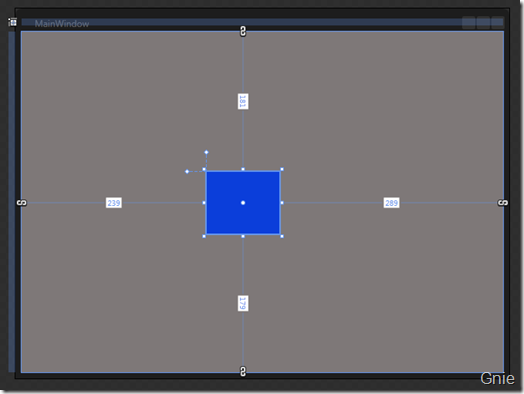
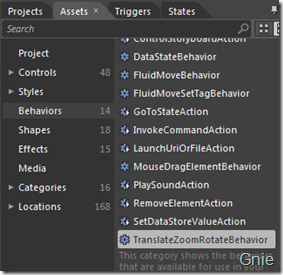
在 Assets → Behaviors 中找到並拖曳至 Rectangle:
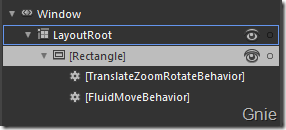
TranslateZoomRotateBehavior:啟用平移、縮放、旋轉。FluidMoveBehavior:設定移動動畫緩動效果。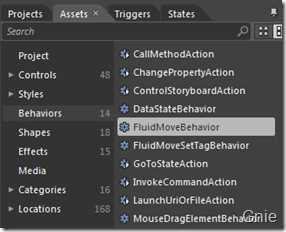
ConstrainToParentBounds → 防止元素超出容器邊界。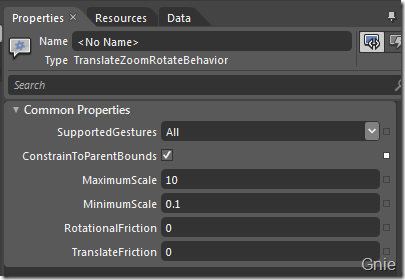
Duration:動畫持續時間(如 0:0:2)。EaseX/EaseY:設定 BackEase 等緩動函數。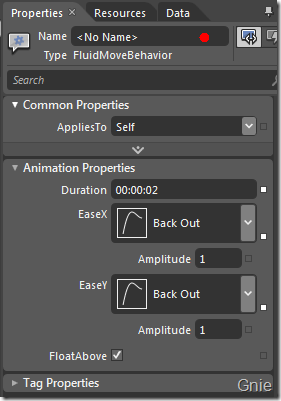
<Window
    xmlns="https://schemas.microsoft.com/winfx/2006/xaml/presentation"
    xmlns:x="https://schemas.microsoft.com/winfx/2006/xaml"
    xmlns:i="https://schemas.microsoft.com/expression/2010/interactivity"
    xmlns:ei="https://schemas.microsoft.com/expression/2010/interactions"
    x:Class="WpfMT.MainWindow" Title="MainWindow" Width="640" Height="480">

    <Grid x:Name="LayoutRoot" Background="#FF7E7E7E">
        <Rectangle Fill="#FF0B3EDA" Margin="239,181,289,179" Stroke="Black">
            <i:Interaction.Behaviors>
                <ei:TranslateZoomRotateBehavior ConstrainToParentBounds="True"/>
                <ei:FluidMoveBehavior Duration="0:0:2">
                    <ei:FluidMoveBehavior.EaseY>
                        <BackEase EasingMode="EaseOut"/>
                    </ei:FluidMoveBehavior.EaseY>
                    <ei:FluidMoveBehavior.EaseX>
                        <BackEase EasingMode="EaseOut"/>
                    </ei:FluidMoveBehavior.EaseX>
                </ei:FluidMoveBehavior>
            </i:Interaction.Behaviors>
        </Rectangle>
    </Grid>
</Window>
快速原型、觸控展示應用、互動式簡報、教育軟體等需快速實作多點觸控操作的專案。