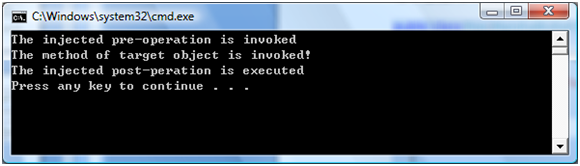
逐步建立可重用的郵件通知 CodeActivity,包含 SMTP 發送邏輯、自訂設計器 UI (ExpressionTextBox 綁定引數)、檔案選擇編輯器、自訂圖示。
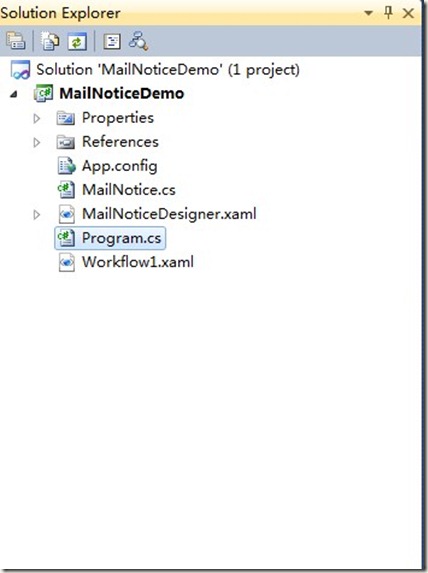
[Designer(typeof(MailNoticeDesigner))]
public sealed class MailNotice : CodeActivity
{
    public InArgument<string> Receive { get; set; }
    public InArgument<string> Subject { get; set; }
    public InArgument<string> Content { get; set; }
    public string Attachment { get; set; }

    static MailNotice()
    {
        var builder = new AttributeTableBuilder();
        builder.AddCustomAttributes(typeof(MailNotice), "Attachment",
            new EditorAttribute(typeof(FilePickerEditor), typeof(DialogPropertyValueEditor)));
        MetadataStore.AddAttributeTable(builder.CreateTable());
    }

    protected override void Execute(CodeActivityContext context)
    {
        var smtp = new SMTP("你信箱", "顯示名稱",
            new[] { Receive.Get(context) }, null, null,
            Subject.Get(context), Content.Get(context),
            new[] { Attachment }, "SMTP伺服器", 25,
            "你信箱", "密碼", false);
        try { smtp.Send(); }
        catch (Exception ex)
        {
            Console.WriteLine("郵件發送失敗: " + (ex.InnerException?.Message ?? ex.Message));
        }
    }
}
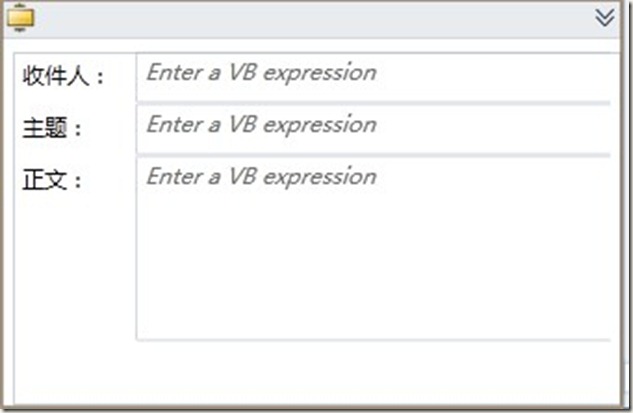
<sap:ActivityDesigner x:Class="MailNoticeDemo.MailNoticeDesigner"
    xmlns:sap="clr-namespace:System.Activities.Presentation;assembly=System.Activities.Presentation"
    xmlns:sapv="clr-namespace:System.Activities.Presentation.View;assembly=System.Activities.Presentation"
    xmlns:sapc="clr-namespace:System.Activities.Presentation.Converters;assembly=System.Activities.Presentation">
    <sap:ActivityDesigner.Resources>
        <sapc:ArgumentToExpressionConverter x:Key="ArgumentToExpressionConverter"/>
    </sap:ActivityDesigner.Resources>
    <Grid Height="190" Width="328">
        <Grid.RowDefinitions>
            <RowDefinition Height="28"/><RowDefinition Height="28"/>
            <RowDefinition Height="54"/><RowDefinition Height="47"/>
            <RowDefinition Height="31*"/>
        </Grid.RowDefinitions>
        <Grid.ColumnDefinitions>
            <ColumnDefinition Width=".2*"/><ColumnDefinition Width=".8*"/>
        </Grid.ColumnDefinitions>
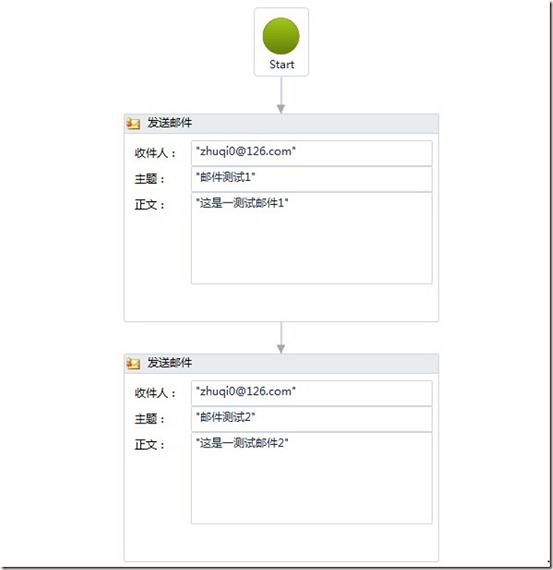
        <Label Content="收件人" Grid.Row="0" Grid.Column="0"/>
        <sapv:ExpressionTextBox Grid.Row="0" Grid.Column="1"
            Expression="{Binding Path=ModelItem.Receive, Mode=TwoWay,
                Converter={StaticResource ArgumentToExpressionConverter}, ConverterParameter=In}"
            OwnerActivity="{Binding Path=ModelItem}" UseLocationExpression="False"/>
        <Label Content="主題:" Grid.Row="1" Grid.Column="0"/>
        <sapv:ExpressionTextBox Grid.Row="1" Grid.Column="1"
            Expression="{Binding Path=ModelItem.Subject, Mode=TwoWay,
                Converter={StaticResource ArgumentToExpressionConverter}, ConverterParameter=In}"
            OwnerActivity="{Binding Path=ModelItem}" UseLocationExpression="False"/>
        <Label Content="正文:" Grid.Row="2" Grid.Column="0"/>
        <sapv:ExpressionTextBox Grid.Row="2" Grid.Column="1" Grid.RowSpan="2"
            Expression="{Binding Path=ModelItem.Content, Mode=TwoWay,
                Converter={StaticResource ArgumentToExpressionConverter}, ConverterParameter=In}"
            OwnerActivity="{Binding Path=ModelItem}" UseLocationExpression="False" Margin="0,0,0,1"/>
    </Grid>
</sap:ActivityDesigner>
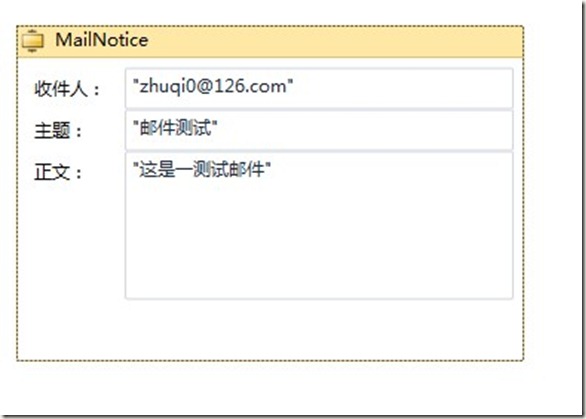
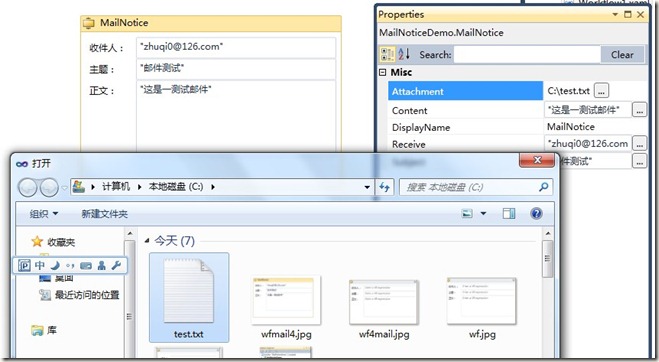
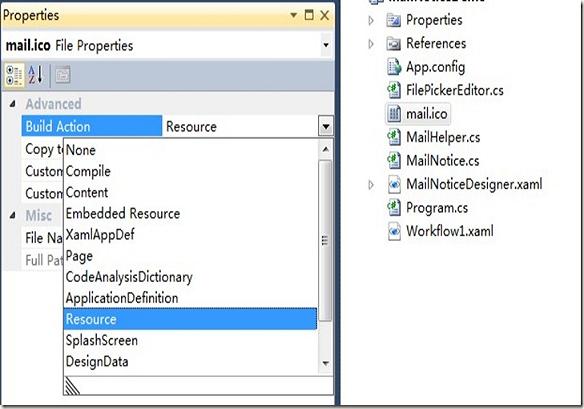
加入圖示資源 (Build Action = Resource):
<sap:ActivityDesigner.Icon>
  <DrawingBrush>
    <DrawingBrush.Drawing>
      <ImageDrawing>
        <ImageDrawing.Rect><Rect Location="0,0" Size="16,16"/></ImageDrawing.Rect>
        <ImageDrawing.ImageSource><BitmapImage UriSource="mail.ico"/></ImageDrawing.ImageSource>
      </ImageDrawing>
    </DrawingBrush.Drawing>
  </DrawingBrush>
</sap:ActivityDesigner.Icon>