紅綠燈循環邏輯 (紅 5 秒 → 黃 2 秒 → 綠 5 秒 → 黃 2 秒 → 紅...) 以 WF4 流程控制,WPF 透過資料綁定呈現,示範 WPF 與 WF 透過擴充機制雙向互動。
<Grid>
  <Border Background="AntiqueWhite" CornerRadius="10" BorderBrush="Gray" BorderThickness="2">
    <StackPanel Orientation="Horizontal" VerticalAlignment="Center">
      <StackPanel.Resources>
        <Style TargetType="Ellipse">
          <Setter Property="Width" Value="100"/>
          <Setter Property="Height" Value="100"/>
          <Setter Property="Fill" Value="LightGray"/>
          <Setter Property="Stroke" Value="Gray"/>
          <Setter Property="StrokeThickness" Value="2"/>
          <Setter Property="Margin" Value="4"/>
        </Style>
      </StackPanel.Resources>
      <Ellipse Fill="{Binding Variable1, UpdateSourceTrigger=PropertyChanged}"/>
      <Ellipse Fill="{Binding Variable2, UpdateSourceTrigger=PropertyChanged}"/>
      <Ellipse Fill="{Binding Variable3, UpdateSourceTrigger=PropertyChanged}"/>
    </StackPanel>
  </Border>
</Grid>
Variable1/2/3 對應三顆燈顏色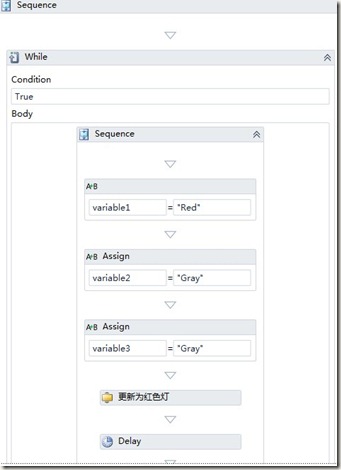
public partial class MainWindow : Window
{
    WorkflowApplication _application1;
    bool _isWorkflowStarted;

    public WorkflowDataContext WorkflowContext
    {
        get => _workflowContext;
        set
        {
            Dispatcher.BeginInvoke(DispatcherPriority.Normal,
                (Action)delegate { DataContext = value; });
            _workflowContext = value;
        }
    }

    public MainWindow()
    {
        InitializeComponent();
        _application1 = new WorkflowApplication(new Activity1());
        _application1.Completed = args =>
        {
            Dispatcher.Invoke(DispatcherPriority.Normal,
                (Action)delegate { DataContext = null; _isWorkflowStarted = false; });
        };
        _application1.Extensions.Add(this); // 關鍵:將視窗本身註冊為擴充
        _application1.Run();
        _isWorkflowStarted = true;
    }

    private void Window_Closed(object sender, EventArgs e)
    {
        if (_application1 != null && _isWorkflowStarted)
            _application1.Terminate("Main Window closed");
    }
}
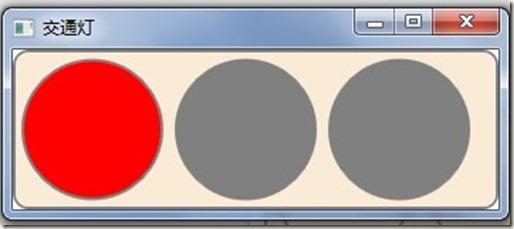
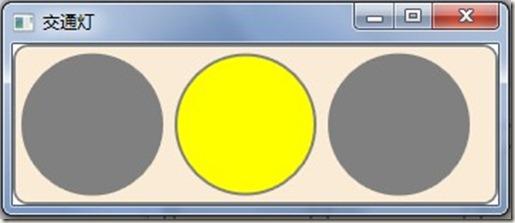
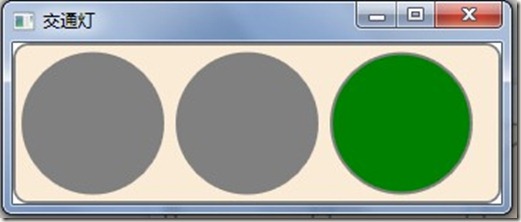
關鍵技術:WorkflowApplication.Extensions.Add(this) 將 WPF 視窗註冊為工作流擴充,流程中自訂活動即可取得擴充並更新綁定屬性。