自訂 DataGrid 模板,在欄標題下加入 StackPanel 放置篩選 TextBox。需在程式碼中動態取得每個資料列模板內的 TextBlock 修改前景色。直接 FindName 失敗(模板在資源中共享、未實例化至邏輯樹)。
模板實例化後存在於視覺樹,可從 ListBoxItem (容器) 遞迴向下搜尋目標型別元素。
private void FindChildByType(DependencyObject parent, Type targetType, ref FrameworkElement result) {
    for (int i = 0; i < VisualTreeHelper.GetChildrenCount(parent); i++) {
        var child = VisualTreeHelper.GetChild(parent, i) as FrameworkElement;
        if (child == null) continue;
        if (child.GetType() == targetType) {
            result = child;
            return;
        }
        FindChildByType(child, targetType, ref result); // 深度優先
    }
}private void Button_Click_1(object sender, RoutedEventArgs e) {
foreach (var item in lb.Items) {
var container = lb.ItemContainerGenerator.ContainerFromItem(item) as FrameworkElement;
if (container is ListBoxItem lbi) {
FrameworkElement found = null;
FindChildByType(lbi, typeof(TextBlock), ref found);
if (found is TextBlock tb) {
tb.Foreground = new SolidColorBrush(RandomColor());
}
}
}
}
private Color RandomColor() {
var bytes = new byte[3];
new Random().NextBytes(bytes);
return Color.FromRgb(bytes[0], bytes[1], bytes[2]);
}
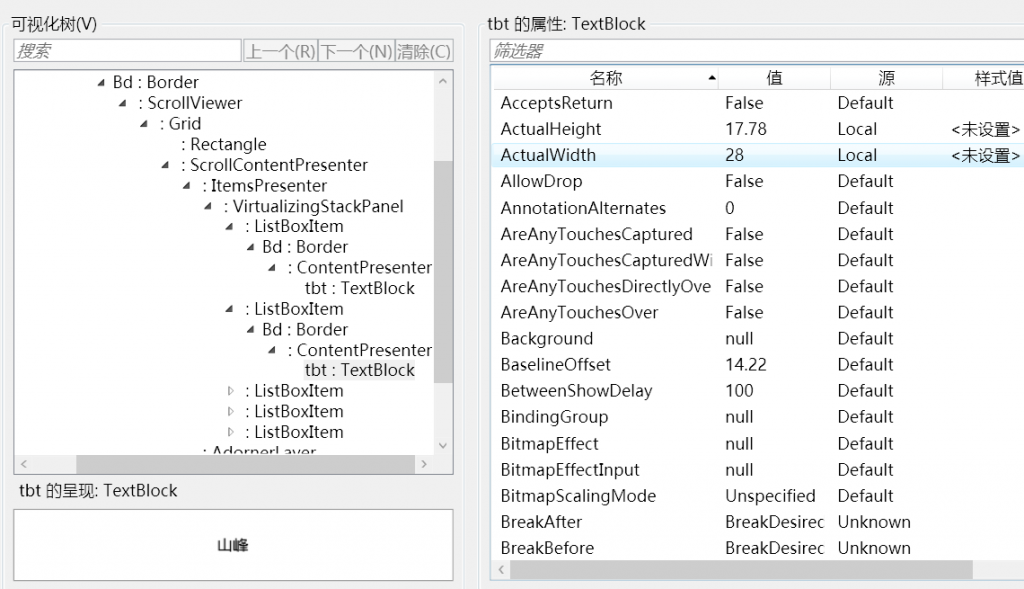
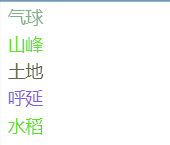
每個 ListBox 項目的 TextBlock 前景色隨機變化,證明成功穿透 DataTemplate 修改子元素屬性。