拿到 WCF 服務位址但無文件、不知有哪些方法、參數型別。寫測試專案太費時,VS 內建 WCF Test Client 可即時呼叫、檢驗服務。
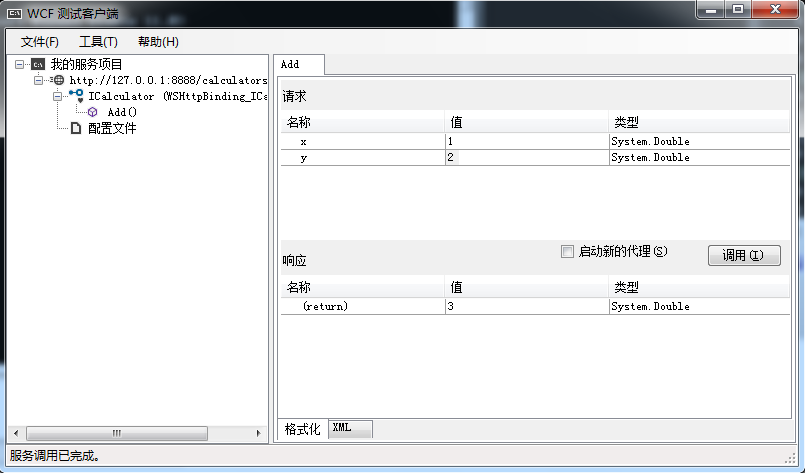
wcftestclient 按 Enter。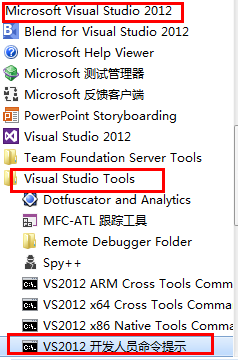
https://127.0.0.1:8888/calculatorservice)。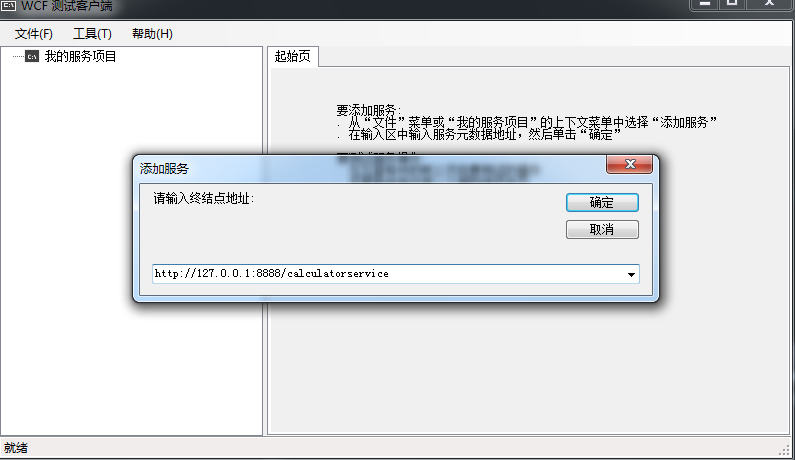
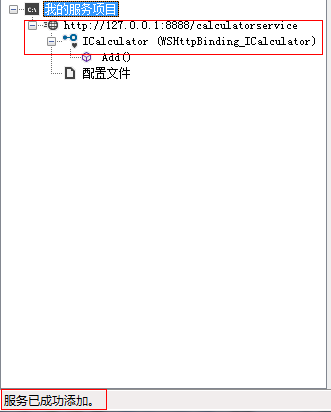
Add(double, double))在右側輸入參數值。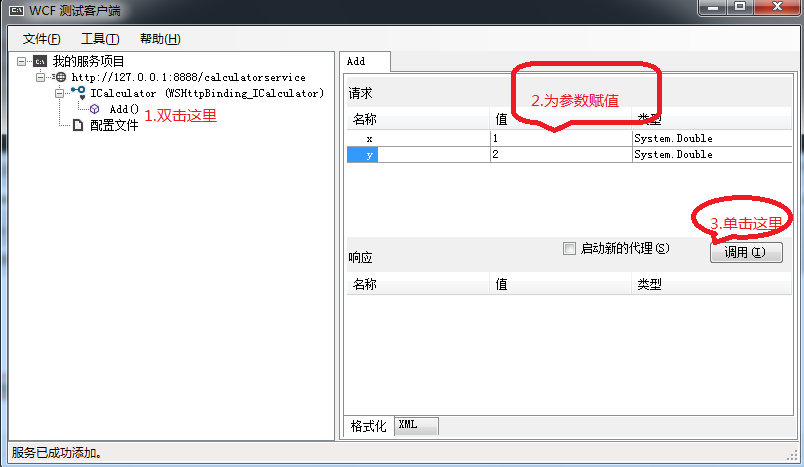
[ServiceContract(Namespace = "https://www.wolfy.com")]
public interface ICalculator
{
    [OperationContract]
    double Add(double x, double y);
}public class CalculatorService : ICalculator
{
public double Add(double x, double y) => x + y;
}static void Main()
{
using (var host = new ServiceHost(typeof(CalculatorService)))
{
host.Opened += (s, e) => Console.WriteLine("Service started. Press any key to stop.");
host.Open();
Console.ReadKey();
}
}<system.serviceModel>
<behaviors>
<serviceBehaviors>
<behavior name="MyServiceBehavior">
<serviceMetadata httpGetEnabled="true" />
</behavior>
</serviceBehaviors>
</behaviors>
<services>
<service name="Wolfy.Service.CalculatorService" behaviorConfiguration="MyServiceBehavior">
<endpoint contract="Wolfy.Contract.ICalculator" binding="wsHttpBinding" />
<host>
<baseAddresses>
<add baseAddress="https://127.0.0.1:8888/calculatorservice" />
</baseAddresses>
</host>
</service>
</services>
</system.serviceModel>| 優點 | 缺點 |
|---|---|
| 零代碼、即開即用 | 不支援複雜型別序列化自定義 |
| 自動產生 Proxy、顯示 Request/Response XML | 無法模擬高併發、效能測試 |
| 支援 Basic/WS/NetTcp 等繫結 | UI 略顯過時,大量資料檢視不便 |