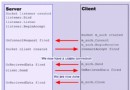
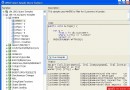
方法是程式碼重複使用與結構化的基本單位。本文以顧問費用計算為例,示範如何從需求拆解邏輯、使用「產生方法存根」功能快速建立架構、實作細節、重構,並以 Visual Studio 偵錯器單步執行觀察呼叫堆疊與變數變化。
對應四個方法:
ReadDouble(string prompt):讀取 double。ReadInt(string prompt):讀取 int。CalculateFee(double rate, int days):計算總費用。WriteFee(double fee):顯示含稅金額。Run() 中撰寫呼叫程式碼(紅色波浪線)。throw new NotImplementedException()。using System;
namespace DailyRate
{
class Program
{
static void Main() => new Program().Run();
void Run()
{
double dailyRate = ReadDouble("Enter your daily rate: ");
int noOfDays = ReadInt("Enter the number of days: ");
WriteFee(CalculateFee(dailyRate, noOfDays));
}
double ReadDouble(string prompt)
{
Console.Write(prompt);
return double.Parse(Console.ReadLine());
}
int ReadInt(string prompt)
{
Console.Write(prompt);
return int.Parse(Console.ReadLine());
}
double CalculateFee(double dailyRate, int noOfDays) => dailyRate * noOfDays;
void WriteFee(double fee) => Console.WriteLine($"The consultant's fee is: {fee * 1.1}");
}
}
若發現重複邏輯(如多處讀取輸入),選取程式碼區塊 → 右鍵 → 重構 → 提取方法,VS 自動建立新方法並替換呼叫。
| 動作 | 按鈕/快捷鍵 | 說明 |
|---|---|---|
| 執行到游標 | 右鍵 → 執行到游標 / Ctrl+F10 | 快速跳至特定行 |
| 逐步執行 | F11 | 進入方法內部 |
| 逐過 | F10 | 執行當前行,不進入方法 |
| 跳出 | Shift+F11 | 執行完當前方法返回呼叫者 |
| 繼續 | F5 | 恢復執行至下一中斷點 |
dailyRate * noOfDays)監控值變化。Guard Clauses)。Async 結尾。善用 VS「產生方法存根」與「提取方法」重構功能,能大幅加速開發並保持程式碼整潔。熟練掌握 F10/F11/Shift+F11 單步操作與觀察視窗,讓除錯從「猜測」變為「觀察」,快速定位邏輯錯誤與狀態異常。