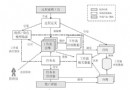
完整上傳與縮圖流程
using System;
using System.Drawing;
using System.Drawing.Imaging;
using System.Web;

public void UploadAndCreateThumbnail(FileUpload fileUpload,
                                     DropDownList firstPageShow,
                                     DropDownList fenlei,
                                     DropDownList isWeekMan) {
    if (fileUpload.PostedFile == null) return;

    // 1. 取得副檔名
    string originalName = fileUpload.PostedFile.FileName;
    int dotIndex = originalName.LastIndexOf('.');
    string extension = originalName.Substring(dotIndex); // 含點號,如 .jpg

    // 2. 產生唯一檔名:年份天數 + 檔案大小
    DateTime now = DateTime.Now;
    string uniqueName = now.DayOfYear.ToString() + fileUpload.PostedFile.ContentLength.ToString();

    // 3. 儲存原圖
    string uploadFolder = Server.MapPath("upload\\");
    string originalPath = uploadFolder + uniqueName + extension;
    fileUpload.PostedFile.SaveAs(originalPath);

    // 4. 依條件決定縮圖尺寸
    int targetWidth, targetHeight;
    using (Image original = Image.FromFile(originalPath)) {
        int srcWidth = original.Width;
        int srcHeight = original.Height;

        if (firstPageShow.SelectedValue == "1" && fenlei.SelectedValue == "5") {
            targetWidth = 203;
        } else if (isWeekMan.SelectedValue == "1") {
            targetWidth = 171;
        } else if (firstPageShow.SelectedValue == "1" && fenlei.SelectedValue == "3") {
            targetWidth = 171;
        } else {
            targetWidth = 62;
        }
        // 等比例縮放
        targetHeight = srcHeight * targetWidth / srcWidth;

        // 5. 產生縮圖並儲存
        Image.GetThumbnailImageAbort callback = ThumbnailCallback;
        using (Image thumbnail = original.GetThumbnailImage(targetWidth, targetHeight, callback, IntPtr.Zero)) {
            string thumbPath = uploadFolder + "small_" + uniqueName + extension;
            thumbnail.Save(thumbPath, ImageFormat.Jpeg);
        }
    }

    // 6. 回傳虛擬路徑供前端使用
    string picUrl = "upload/" + uniqueName + extension;
    string smallPicUrl = "upload/small_" + uniqueName + extension;
    // 可存入資料庫或回傳前端
}

private bool ThumbnailCallback() {
    return false; // 繼續產生縮圖
}
關鍵技術點解析
| 技術點 | 說明 |
|---|
FileUpload.PostedFile | 取得上傳檔案的 HttpPostedFile 物件,含檔名、大小、內容類型、輸入串流 |
Server.MapPath | 將虛擬路徑轉換為伺服器實體路徑;ASP.NET 中路徑分隔符需雙反斜線 \\ 或使用 Path.Combine |
Image.GetThumbnailImage | 快速產生縮圖,內部使用硬體加速,但品質較 Graphics.DrawImage 略低 |
| 等比例縮放公式 | newHeight = originalHeight * newWidth / originalWidth,避免圖片變形 |
| 檔名唯一性 | 範例使用「年份天數 + 檔案大小」,實務建議改用 Guid.NewGuid() 或 DateTime.Now.Ticks |
進階建議:使用 Graphics.DrawImage 取得更高品質
public static Image ResizeImage(Image source, int maxWidth, int maxHeight) {
    // 計算等比例尺寸
    double ratioX = (double)maxWidth / source.Width;
    double ratioY = (double)maxHeight / source.Height;
    double ratio = Math.Min(ratioX, ratioY);
    int newWidth = (int)(source.Width * ratio);
    int newHeight = (int)(source.Height * ratio);

    Bitmap result = new Bitmap(newWidth, newHeight);
    using (Graphics g = Graphics.FromImage(result)) {
        g.InterpolationMode = System.Drawing.Drawing2D.InterpolationMode.HighQualityBicubic;
        g.SmoothingMode = System.Drawing.Drawing2D.SmoothingMode.HighQuality;
        g.PixelOffsetMode = System.Drawing.Drawing2D.PixelOffsetMode.HighQuality;
        g.CompositingQuality = System.Drawing.Drawing2D.CompositingQuality.HighQuality;
        g.DrawImage(source, 0, 0, newWidth, newHeight);
    }
    return result;
}
常見問題排查
- GDI+ 一般性錯誤:確保
upload 資料夾有 IIS_IUSRS 寫入權限;檔案未被鎖定 (使用 using 確保釋放)。
- 縮圖模糊:改用上方
Graphics.DrawImage 高品質模式。
- 大檔案上傳失敗:調整
web.config 中 <httpRuntime maxRequestLength="..." /> (單位 KB) 與 <security><requestFiltering><requestLimits maxAllowedContentLength="..." /></requestFiltering></security> (單位 Byte)。