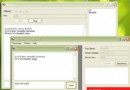
當兩個獨立的 C# Windows Forms 應用程式需要通訊時,除 .NET Remoting、WCF、命名管道等高階機制外,可直接使用 Win32 API 訊息機制(PostMessage、SendMessage)實現低層級跨行程控制。本文示範:
public class Form1 : System.Windows.Forms.Form
{
    private Button button1;
    private TextBox textBox1;

    public Form1()
    {
        InitializeComponent();
    }

    private void button1_Click(object sender, EventArgs e)
    {
        MessageBox.Show("This is button1 click!");
    }
    // 設計器產生程式碼略...
}using System.Runtime.InteropServices;
[DllImport("user32.dll")]
public static extern IntPtr FindWindow(string lpClassName, string lpWindowName);
[DllImport("user32.dll")]
public static extern IntPtr FindWindowEx(IntPtr hwndParent, IntPtr hwndChildAfter,
string lpszClass, string lpszWindow);
[DllImport("user32.dll", CharSet = CharSet.Unicode)]
public static extern IntPtr PostMessage(IntPtr hwnd, int wMsg, IntPtr wParam, IntPtr lParam);private void button1_Click(object sender, EventArgs e)
{
// 1. 尋找目標視窗(類別名稱、標題)
IntPtr hwndWin = FindWindow("WindowsForms10.Window.8.app3", "Form1");
// 2. 尋找子視窗 Button
IntPtr hwndBtn = FindWindowEx(hwndWin, IntPtr.Zero,
"WindowsForms10.BUTTON.app3", "button1");
// 3. 建立並發送 BM_CLICK 訊息 (0x00F5)
const int BM_CLICK = 0x00F5;
Message msg = Message.Create(hwndBtn, BM_CLICK, IntPtr.Zero, IntPtr.Zero);
PostMessage(msg.HWnd, msg.Msg, msg.WParam, msg.LParam);
}private void button2_Click(object sender, EventArgs e)
{
const int WM_CHAR = 0x0102;
IntPtr hwndWin = FindWindow("WindowsForms10.Window.8.app3", "Form1");
IntPtr hwndTb = FindWindowEx(hwndWin, IntPtr.Zero,
"WindowsForms10.EDIT.app3", "textBox1");
string text = "測試aaa";
var encoding = new System.Text.UnicodeEncoding();
char[] chars = encoding.GetChars(encoding.GetBytes(text));
foreach (char c in chars)
{
Message msg = Message.Create(hwndTb, WM_CHAR, new IntPtr(c), IntPtr.Zero);
PostMessage(msg.HWnd, msg.Msg, msg.WParam, msg.LParam);
}
}| API | 用途 | 注意事項 |
|---|---|---|
FindWindow | 依類別名稱與視窗標題尋找頂層視窗 | 類別名稱如 WindowsForms10.Window.8.app3 可能隨 .NET 版本變動 |
FindWindowEx | 在父視窗下遞迴尋找子視窗 | 需正確指定子視窗類別名稱(Button/Edit 等) |
PostMessage | 非同步投遞訊息至訊息佇列 | 不等待處理完成,適合模擬使用者操作 |
WM_CHAR (0x0102) | 字元輸入訊息 | 需逐字元發送,支援 Unicode |
BM_CLICK (0x00F5) | 模擬按鈕點擊 | 直接觸發 Button Click 事件 |
csc.exe Form1.cs        // 產生 Form1.exe
csc.exe TestForm1.cs // 產生 TestForm1.exeForm1.exe 顯示主視窗TestForm1.exe雖不建議生產環境使用,但本範例展示了 C# 呼叫 Unmanaged API、訊息迴路機制、視窗層級結構等核心概念,對理解 Windows 程式設計基礎極有幫助。