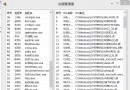
控制面板項目本質為 .cpl 檔案,位於 System32 目錄。C# 可透過 Process.Start 直接啟動。
| 控制面板項目 | CPL 檔案 |
|---|---|
| Internet 選項 | inetcpl.cpl |
| ODBC 資料來源 | odbccp32.cpl |
| 電話與調變解調器 | telephon.cpl |
| 電源選項 | powercfg.cpl |
| 輔助功能 | access.cpl |
| 地區與語言 | intl.cpl |
| 日期與時間 | timedate.cpl |
| 聲音與音訊 | mmsys.cpl |
| 滑鼠 | main.cpl |
| 新增/移除程式 | appwiz.cpl |
| 新增硬體 | hdwwiz.cpl |
| 網路連線 | ncpa.cpl |
| 系統 | sysdm.cpl |
| 顯示 | desk.cpl |
| 使用者帳戶 | nusrmgr.cpl |
| 遊戲控制器 | joy.cpl |
| 語音 | sapi.cpl |
using System.Diagnostics;
using System.ComponentModel;

try
{
    Process.Start("inetcpl.cpl"); // 直接啟動 Internet 選項
}
catch (Win32Exception ex)
{
    MessageBox.Show($"出錯原因:{ex.Message}", "錯誤", MessageBoxButtons.OK, MessageBoxIcon.Error);
}
ProcessStartInfo info = new ProcessStartInfo();
info.FileName = "inetcpl.cpl";
info.UseShellExecute = true; // 預設 true,使用 Shell 執行

try
{
    Process.Start(info);
}
catch (Win32Exception ex)
{
    // 錯誤處理
}
using System;
using System.Diagnostics;
using System.Windows.Forms;

namespace CsharpCallCPL
{
    public class Form1 : Form
    {
        private Button btnCall;
        private Label lblTitle;

        public Form1()
        {
            InitializeComponent();
        }

        private void InitializeComponent()
        {
            this.lblTitle = new Label { Text = "C# 呼叫控制面板範例", Font = new Font("微軟正黑體", 14, FontStyle.Bold), AutoSize = true, Location = new Point(40, 16) };
            this.btnCall = new Button { Text = "呼叫 Internet 選項", Location = new Point(192, 72) };
            this.btnCall.Click += BtnCall_Click;

            this.ClientSize = new Size(296, 125);
            this.Controls.AddRange(new Control[] { lblTitle, btnCall });
            this.Text = "CPL 呼叫示範";
        }

        private void BtnCall_Click(object sender, EventArgs e)
        {
            try
            {
                Process.Start("inetcpl.cpl");
            }
            catch (Win32Exception ex)
            {
                MessageBox.Show($"出錯原因:{ex.Message}", "錯誤", MessageBoxButtons.OK, MessageBoxIcon.Error);
            }
        }

        [STAThread]
        static void Main()
        {
            Application.Run(new Form1());
        }
    }
}
Win32Exception。