public enum RandomGeneratorStyle {
    Number,                 // 純數字
    NumberAndChar,          // 數字 + 大小寫字母
    NumberAndCharIgnoreCase // 數字 + 大寫字母
}
建立位圖 → 取得 Graphics → 產生隨機字串 → 存 Session → 設定字體/筆刷 → DrawString → 輸出 JPEG 串流:
public static void Generate(RandomGeneratorStyle style, int length, Page curPage) {
    Bitmap bmp = new Bitmap((int)Math.Ceiling(length * 12.5), 20);
    Graphics g = Graphics.FromImage(bmp);
    string strCode = RandomGenerator.Generate(style, length);
    curPage.Session["yzmCode"] = strCode;
    Font font = new Font("Arial", 12, FontStyle.Bold | FontStyle.Italic);
    SolidBrush brush = new SolidBrush(Color.White);
    g.DrawString(strCode, font, brush, 0, 0); // 關鍵繪製步驟
    bmp.Save(curPage.Response.OutputStream, ImageFormat.Jpeg);
    g.Dispose();
}
新增 `yzm.aspx`,`Page_Load` 呼叫 `Generate`:
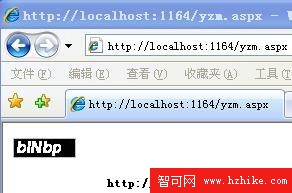
圖 1:驗證碼輸出範例。