3. 代碼實作
private void bwFileCopy_DoWork(object sender, DoWorkEventArgs e)
{
    DirectoryInfo di = (DirectoryInfo)e.Argument;
    int iCur = 1;
    foreach (FileInfo fi in di.GetFiles())
    {
        // 證明 ToolStrip 對跨執行緒的特殊性,實際應用建議放在 ProgressChanged 中
        tsslInfo.Text = string.Format("目前正在複製檔案:{0}", fi.Name);

        fi.CopyTo(Path.Combine(targetDir, fi.Name), true);
        bwFileCopy.ReportProgress(GetPercent(iCur, iFileCount), fi.Name);
        iCur++;
    }
    e.Result = iCur;
}

private void bwFileCopy_ProgressChanged(object sender, ProgressChangedEventArgs e)
{
    // 更新狀態列進度條
    tssbProcess.Value = e.ProgressPercentage;

    // 在 ListView 中新增複製資訊
    string FileName = e.UserState.ToString();
    lvOutput.Items.Add(new ListViewItem(new string[] { System.DateTime.Now.ToLongTimeString(), FileName })).EnsureVisible();
}

private void bwFileCopy_RunWorkerCompleted(object sender, RunWorkerCompletedEventArgs e)
{
    // 清空來源與目標目錄
    tbSource.Text = string.Empty;
    tbTargetDir.Text = string.Empty;
    // 提示複製檔案數量
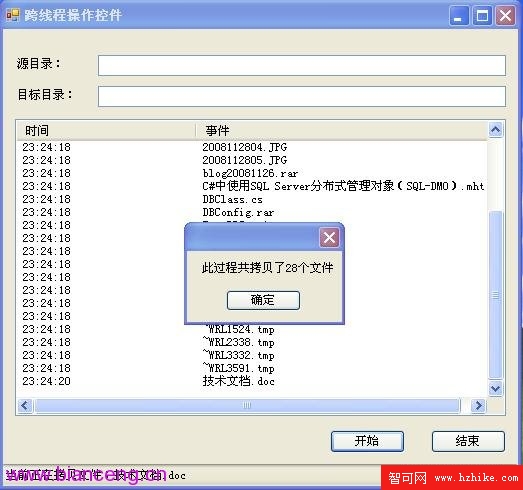
    MessageBox.Show(string.Format("此過程共複製了 {0} 個檔案", e.Result));
}
4. 執行結果