環境準備
- OS:Windows XP / Windows 10+
- IDE:Visual Studio 2005 / 2019+
- SolidWorks:2008 SP5+(需安裝 API SDK)
- 引用:
SldWorks 2008 Type Library、SolidWorks 2008 Constant type library
核心代碼
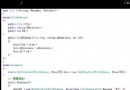
using System;
using System.Windows.Forms;
using SldWorks;      // COM: SldWorks 2008 Type Library
using SwConst;       // COM: SolidWorks 2008 Constant type library

namespace SwTest
{
    public partial class FrmTest : Form
    {
        public FrmTest() => InitializeComponent();

        private void BtnOpen_Click(object sender, EventArgs e)
        {
            int errors = 0, warnings = 0;
            var swApp = new SldWorks.SldWorks(); // 啟動/連接 SW 進程

            // 打開零件文件,靜默模式
            swApp.OpenDoc6(
                @"E:\a.SLDPRT",
                (int)swDocumentTypes_e.swDocPART,
                (int)swOpenDocOptions_e.swOpenDocOptions_Silent,
                "", ref errors, ref warnings);

            swApp.Visible = true; // 顯示 SW 窗口
        }
    }
}
關鍵 API 解析
| 方法/屬性 | 用途 |
|---|
new SldWorks() | 創建/連接 SolidWorks 應用程序實例(COM 本地服務器) |
OpenDoc6(path, type, options, config, errors, warnings) | 打開文檔,返回 ModelDoc2;type 用 swDocumentTypes_e 枚舉 |
swOpenDocOptions_Silent | 不彈出對話框、不激活窗口,適合後台批量處理 |
Visible | 控制 SW 主窗口顯示/隱藏 |
常見問題與解決
- COM 引用找不到:安裝 SolidWorks API SDK,或在 VS「添加引用」→ COM 中搜尋
SldWorks。
- 版本不匹配:引用版本必須與安裝的 SW 主版本一致(如 2008 → 16.0,2023 → 31.0)。
- 權限/進程隔離:若以管理員身份運行 VS,SW 也需以管理員運行,否則
new SldWorks() 可能失敗。
- 釋放 COM 對象:長時間運行程序需調用
Marshal.ReleaseComObject 並 GC.Collect(),防止 SW 進程殘留。
擴展方向
- 遍歷特徵樹、修改參數、創建草圖、導出 STEP/IGES/STL。
- 事件監聽:
FileOpenNotify、ModelChangeNotify 實現自動化流程。
- 批量處理:結合
Directory.GetFiles 遍歷目錄自動化修改屬性。
- 上一篇文章: C# 實現 PDF 文件完整性驗證:基於 MD5 的簡易數字水印
- 下一篇文章: C# 生成圖片縮略圖完整實現(ASP.NET 版)
Copyright ©
程式碼之家 All Rights Reserved