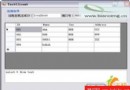
建立一個 Windows Forms 應用程式,在區域網路兩台電腦之間透過 UDP 8888 連接埠進行純文字的點對點通訊。介面包含對方 IP 輸入框、訊息輸入框、發送按鈕、訊息顯示列表與清空按鈕。
| 控制項 | Name | Text/備註 |
|---|---|---|
| Label | Label1 | 對方 IP: |
| TextBox | tbIP | 輸入對方 IP |
| TextBox | tbMsg | 輸入發送內容 |
| Button | btnSend | 發送 |
| ListBox | lbInfo | 顯示收發紀錄 |
| GroupBox | gbSend | 發送視窗 |
| GroupBox | gbReceive | 接收視窗 |
| Button | btnClear | 清空 |
using System.Net;
using System.Net.Sockets;
using System.Threading;

private UdpClient uc;
private IPEndPoint IEp;
private Thread th;public Form1()
{
InitializeComponent();
CheckForIllegalCrossThreadCalls = false; // 允許非 UI 執行緒直接操作控制項(教學用,正式專案建議用 Invoke)
uc = new UdpClient(8888); // 綁定本地 8888 連接埠
}private void btnSend_Click(object sender, EventArgs e)
{
// 解析對方 IP 與固定 Port 8888
IEp = new IPEndPoint(IPAddress.Parse(tbIP.Text), 8888);
// 建立並啟動接收執行緒
th = new Thread(new ThreadStart(listen));
th.IsBackground = true; // 設為背景執行緒,主視窗關閉時自動結束
th.Start();
// 將訊息轉為 UTF-8 位元組陣列並發送
string temp = tbMsg.Text;
byte[] b = Encoding.UTF8.GetBytes(temp);
uc.Send(b, b.Length, IEp);
}private void listen()
{
while (true)
{
string text = Encoding.UTF8.GetString(uc.Receive(ref IEp));
lbInfo.Items.Add(text + "\n");
}
}private void btnClear_Click(object sender, EventArgs e)
{
lbInfo.Items.Clear();
}
protected override void Dispose(bool disposing)
{
if (disposing && (components != null))
{
components.Dispose();
th?.Abort();
uc?.Close();
}
base.Dispose(disposing);
}ListBox 即時顯示收發內容。CheckForIllegalCrossThreadCalls = false 僅供教學快速原型,正式專案請使用 Control.Invoke 或 SynchronizationContext 進行跨執行緒 UI 更新。