練習 4:建立 Crystal Report
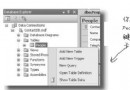
- 右鍵網站名稱 → Add New Item
- 選擇 Crystal Report,命名
StockObjects.rpt
- Crystal Reports Gallery → OK
- Standard Report Creation Wizard:
• 展開 Project Data → .NET Objects
• 選取 Stock 類別 → 右箭頭移至 Selected Tables
• Next → 展開 Stock → >> 全部欄位移至 Fields to Display
• Next → Symbol 移至 Group By
• Finish
報表自動依 Symbol 分組,顯示所有 Stock 物件屬性。