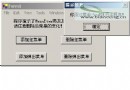
身為上班族玩家,每晚排隊進入魔獸世界(9C 5區)耗時極長,常錯過團隊副本開啟時間。為解決燃眉之急,決定開發自動登錄工具,實現定時啟動遊戲、自動輸入賬號密碼並登錄。
封裝遊戲路徑、等待時間、用戶名密碼等配置,支持從info.txt讀取/寫入:
[Serializable]
public class ViaStruct {
    private string timer, filepath, username, pwd, timer2;
    public bool SuccessFlag = false;

    public ViaStruct() { SuccessFlag = ReadFormKBI(); }

    // 屬性封裝 Timer, FilePath, UserName, Pwd, Timer2 ...

    private bool ReadFormKBI() {
        using (StreamReader sr = new StreamReader("info.txt")) {
            if ((filepath = sr.ReadLine()) == null || filepath == "") return false;
            timer = sr.ReadLine(); timer2 = sr.ReadLine();
            username = sr.ReadLine(); pwd = sr.ReadLine();
        }
        return true;
    }

    public void WriteToKBI() {
        new Thread(() => {
            try {
                using (StreamWriter sw = new StreamWriter("info.txt")) {
                    sw.WriteLine(filepath); sw.WriteLine(timer);
                    sw.WriteLine(timer2); sw.WriteLine(username); sw.WriteLine(pwd);
                }
                MessageBox.Show("寫入成功!");
            } catch (Exception ex) { MessageBox.Show(ex.Message); }
        }).Start();
    }
}Timer分鐘 → 啟動遊戲進程 → 等待Timer2分鐘 → 調用SendKeys逐字符輸入用戶名、Tab、密碼、Enter。th執行登錄流程,窗體關閉時Abort清理;提供「立即執行」按鈕跳過首次等待。OpenFileDialog選擇遊戲路徑,托盤圖標支持最小化隱藏/雙擊還原。private void MySendKeys() {
foreach (char c in via.UserName) { SendKeys.SendWait(c.ToString()); Thread.Sleep(10); }
SendKeys.SendWait("{Tab}");
foreach (char c in via.Pwd) { SendKeys.SendWait(c.ToString()); Thread.Sleep(10); }
SendKeys.SendWait("{Enter}");
}完整代碼包含異常處理、線程同步、配置持久化等工程化細節,可直接作為定時自動化腳本框架擴展。