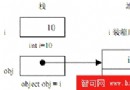
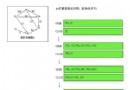
AppDomain 是 CLR 提供的輕量級進程隔離單位,單一進程可包含多個 AppDomain,彼此記憶體隔離、安全性獨立、可獨立卸載。適用於外掛架構、動態程式碼載入、安全沙箱。
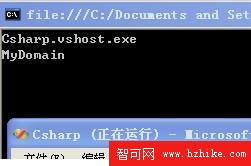
AppDomain domain = AppDomain.CreateDomain("MyDomain");
Console.WriteLine($"當前域: {AppDomain.CurrentDomain.FriendlyName}");
Console.WriteLine($"新域: {domain.FriendlyName}");
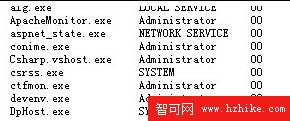
if (AppDomain.CurrentDomain.FriendlyName != "MyAppDomain")
{
    AppDomain newDomain = AppDomain.CreateDomain("MyAppDomain");
    newDomain.ExecuteAssembly("Csharp.exe", null, args);
}
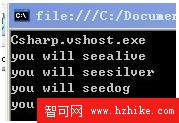
AppDomain d = AppDomain.CreateDomain("MyDomain");
ArrayList list = new ArrayList { "alive", "silver", "dog", "FTP" };
d.SetData("para", list); // 跨域封送(需 Serializable)

foreach (string s in (ArrayList)d.GetData("para"))
    Console.WriteLine($"you will see {s}");
using System.Reflection;

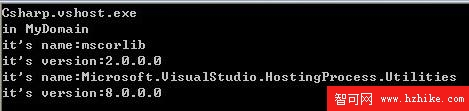
AppDomain d = AppDomain.CreateDomain("MyDomain");
Assembly[] assemblies = d.GetAssemblies();
foreach (Assembly a in assemblies)
{
    Console.WriteLine($"Name: {a.GetName().Name}");
    Console.WriteLine($"Version: {a.GetName().Version}");
}
Assembly 類別提供載入、檢視、建立動態組件功能
using System.Net.Mail;
using System.Web.Mail;

// 錯誤:MailMessage 模稜兩可
// MailMessage mm = new MailMessage();

// 正確:完整限定名稱
System.Net.Mail.MailMessage mm1 = new System.Net.Mail.MailMessage();
System.Web.Mail.MailMessage mm2 = new System.Web.Mail.MailMessage();
// DemoLib.cs
namespace demostrator
{
    public class Demo
    {
        private string _name;
        public Demo() { _name = "luXiaofeng"; }
        public Demo(string name) { _name = name; }
        public string GetName() => _name;
    }
    public class Myname { /* 類似 */ }
}

// 使用端
using demostrator;

Demo d = new Demo();
Myname n = new Myname();
Console.WriteLine(d.GetName());
Console.WriteLine(n.GetName());

using Short = MyCompany.LongNamespace.SubNamespace;
Short.MyClass obj = new Short.MyClass();
| 概念 | 層面 | 關係 |
|---|---|---|
| 命名空間 | 邏輯/編譯期 | 跨組件可共享同一命名空間(如 System) |
| 組件 | 物理/執行期 | 單一組件可包含多個命名空間 |
| 引用 | 專案參考 | 引用組件 → 可使用其公開命名空間 |
AppDomain 提供進程內隔離與動態載入能力,Assembly 是部署與版本單位,命名空間 則是原始碼層面的邏輯組織與消歧義機制。三者分工明確:執行期隔離靠 AppDomain,版本部署靠 Assembly,程式碼組織靠 Namespace。掌握反射 (System.Reflection) 配合 AppDomain 動態載入,是建構外掛系統、熱更新、腳本引擎的核心技術。