FileStream 僅處理位元組,文字處理需自行處理編碼轉換、換行符、緩衝。StreamReader/Writer 封裝字元級讀寫,支援多種編碼、自動緩衝、逐行讀取,是文字檔 I/O 的標準選擇。
| 建構函數 | 用途 |
|---|---|
new StreamReader(Stream) | 包裝現有串流(如 FileStream) |
new StreamReader(string path) | 直接開啟檔案(預設 UTF-8) |
new StreamReader(string path, Encoding) | 指定編碼 |
new StreamReader(Stream, Encoding) | 串流+編碼 |
new StreamReader(..., bool detectEncodingFromByteOrderMarks) | 自動偵測 BOM |
// 方式 1:直接路徑
using (StreamReader sr = new StreamReader(@"C:\abc.txt"))
{
    string line;
    while ((line = sr.ReadLine()) != null)
        Console.WriteLine(line);
}

// 方式 2:包裝 FileStream(可控制 FileMode/Access/Share)
using (FileStream fs = new FileStream(@"C:\abc.txt", FileMode.Open, FileAccess.Read, FileShare.Read))
using (StreamReader sr = new StreamReader(fs, Encoding.UTF8))
{
    string line;
    while ((line = sr.ReadLine()) != null)
        Console.WriteLine(line);
}
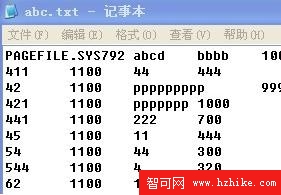
ReadToEnd():一次讀完所有文字(小檔案適用)ReadBlock(char[], index, count):填充字元陣列Peek():預覽下一字元不消耗CurrentEncoding:取得實際使用編碼| 建構函數 | 用途 |
|---|---|
new StreamWriter(Stream) | 包裝串流 |
new StreamWriter(string path) | 建立/覆寫檔案(預設 UTF-8 無 BOM) |
new StreamWriter(string path, bool append) | append=true 附加模式 |
new StreamWriter(..., Encoding) | 指定編碼 |
// 附加模式寫入 a-z
using (FileStream fs = new FileStream(@"C:\abc.txt", FileMode.Append, FileAccess.Write))
using (StreamWriter sw = new StreamWriter(fs))
{
    for (char c = 'a'; c <= 'z'; c++)
        sw.Write(c); // 無換行
    sw.WriteLine(); // 寫入換行
}

// 覆寫模式寫入多行
using (StreamWriter sw = new StreamWriter(@"C:\log.txt"))
{
    sw.WriteLine("第一行");
    sw.WriteLine("第二行 {0}", DateTime.Now);
    sw.Write("無換行 ");
    sw.Write("續寫");
}
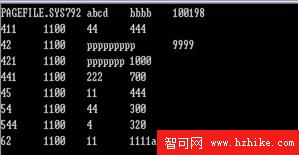
AutoFlush:每次寫入自動 Flush()(效能較差,除非即時日誌)NewLine:自訂換行字串(預設 Environment.NewLine)Write/WriteLine 多載支援格式化字串| 編碼 | 適用場景 | BOM |
|---|---|---|
Encoding.UTF8 | 跨平台、Web、現代應用首選 | 可選(預設無) |
Encoding.Unicode | UTF-16 LE,Windows 內部 | 有 |
Encoding.BigEndianUnicode | UTF-16 BE | 有 |
Encoding.GetEncoding(950) | Big5 繁體中文(舊系統相容) | 無 |
Encoding.Default | 系統當前 ANSI 頁碼(不可攜帶) | 無 |