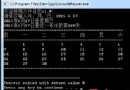
本範例示範透過 P/Invoke 呼叫 kernel32.dll 取得系統資訊(CPU、記憶體等)並顯示於 ListBox。
// Created By Ajit Mungale
// 程式補充 飛刀
namespace UsingAPI
{
    using System;
    using System.Drawing;
    using System.Collections;
    using System.ComponentModel;
    using System.WinForms;
    using System.Data;
    using System.Runtime.InteropServices;

    // 結構:收集系統資訊
    [StructLayout(LayoutKind.Sequential)]
    public struct SYSTEM_INFO
    {
        public uint dwOemId;
        public uint dwPageSize;
        public uint lpMinimumApplicationAddress;
        public uint lpMaximumApplicationAddress;
        public uint dwActiveProcessorMask;
        public uint dwNumberOfProcessors;
        public uint dwProcessorType;
        public uint dwAllocationGranularity;
        public uint dwProcessorLevel;
        public uint dwProcessorRevision;
    }

    // 結構:收集記憶體狀況
    [StructLayout(LayoutKind.Sequential)]
    public struct MEMORYSTATUS
    {
        public uint dwLength;
        public uint dwMemoryLoad;
        public uint dwTotalPhys;
        public uint dwAvailPhys;
        public uint dwTotalPageFile;
        public uint dwAvailPageFile;
        public uint dwTotalVirtual;
        public uint dwAvailVirtual;
    }

    public class Form1 : System.WinForms.Form
    {
        private System.ComponentModel.Container components;
        private System.WinForms.MenuItem menuAbout;
        private System.WinForms.MainMenu mainMenu1;
        private System.WinForms.ListBox listBox1;
        private System.WinForms.Button button1;

        // 匯入 API:取得系統資訊
        [DllImport("kernel32")]
        static extern void GetSystemInfo(ref SYSTEM_INFO pSI);

        // 匯入 API:取得記憶體資訊
        [DllImport("kernel32")]
        static extern void GlobalMemoryStatus(ref MEMORYSTATUS buf);

        // 處理器型別常數
        public const int PROCESSOR_INTEL_386 = 386;
        public const int PROCESSOR_INTEL_486 = 486;
        public const int PROCESSOR_INTEL_PENTIUM = 586;
        public const int PROCESSOR_MIPS_R4000 = 4000;
        public const int PROCESSOR_ALPHA_21064 = 21064;

        public Form1() { InitializeComponent(); }
        public override void Dispose() { base.Dispose(); components.Dispose(); }

        private void InitializeComponent()
        {
            this.components = new System.ComponentModel.Container();
            this.mainMenu1 = new System.WinForms.MainMenu();
            this.button1 = new System.WinForms.Button();
            this.listBox1 = new System.WinForms.ListBox();
            this.menuAbout = new System.WinForms.MenuItem();

            mainMenu1.MenuItems.All = new System.WinForms.MenuItem[1] { this.menuAbout };
            button1.Location = new System.Drawing.Point(148, 168);
            button1.Size = new System.Drawing.Size(112, 32);
            button1.TabIndex = 0;
            button1.Text = "&Get Info";
            button1.Click += new System.EventHandler(this.button1_Click);
            listBox1.Location = new System.Drawing.Point(20, 8);
            listBox1.Size = new System.Drawing.Size(368, 147);
            listBox1.TabIndex = 1;
            menuAbout.Text = "&About";
            menuAbout.Index = 0;
            menuAbout.Click += new System.EventHandler(this.menuAbout_Click);
            this.Text = "System Information - Using API";
            this.MaximizeBox = false;
            this.AutoScaleBaseSize = new System.Drawing.Size(5, 13);
            this.MinimizeBox = false;
            this.Menu = this.mainMenu1;
            this.ClientSize = new System.Drawing.Size(408, 213);
            this.Controls.Add(this.listBox1);
            this.Controls.Add(this.button1);
        }

        protected void menuAbout_Click(object sender, System.EventArgs e)
        {
            Form abt = new about();
            abt.ShowDialog();
        }

        protected void button1_Click(object sender, System.EventArgs e)
        {
            try
            {
                SYSTEM_INFO pSI = new SYSTEM_INFO();
                GetSystemInfo(ref pSI);
                string CPUType;
                switch (pSI.dwProcessorType)
                {
                    case PROCESSOR_INTEL_386: CPUType = "Intel 386"; break;
                    case PROCESSOR_INTEL_486: CPUType = "Intel 486"; break;
                    case PROCESSOR_INTEL_PENTIUM: CPUType = "Intel Pentium"; break;
                    case PROCESSOR_MIPS_R4000: CPUType = "MIPS R4000"; break;
                    case PROCESSOR_ALPHA_21064: CPUType = "DEC Alpha 21064"; break;
                    default: CPUType = "(unknown)";
                }
                listBox1.InsertItem(0, "Active Processor Mask: " + pSI.dwActiveProcessorMask);
                listBox1.InsertItem(1, "Allocation Granularity: " + pSI.dwAllocationGranularity);
                listBox1.InsertItem(2, "Number Of Processors: " + pSI.dwNumberOfProcessors);
                listBox1.InsertItem(3, "OEM ID: " + pSI.dwOemId);
                listBox1.InsertItem(4, "Page Size: " + pSI.dwPageSize);
                listBox1.InsertItem(5, "Processor Level Value: " + pSI.dwProcessorLevel);
                listBox1.InsertItem(6, "Processor Revision: " + pSI.dwProcessorRevision);
                listBox1.InsertItem(7, "CPU type: " + CPUType);
                listBox1.InsertItem(8, "Maximum Application Address: " + pSI.lpMaximumApplicationAddress);
                listBox1.InsertItem(9, "Minimum Application Address: " + pSI.lpMinimumApplicationAddress);

                // 從 GlobalMemoryStatus 取得回傳值
                MEMORYSTATUS memSt = new MEMORYSTATUS();
                GlobalMemoryStatus(ref memSt);
                listBox1.InsertItem(10, "Available Page File: " + (memSt.dwAvailPageFile / 1024));
                listBox1.InsertItem(11, "Available Physical Memory: " + (memSt.dwAvailPhys / 1024));
                listBox1.InsertItem(12, "Available Virtual Memory: " + (memSt.dwAvailVirtual / 1024));
                listBox1.InsertItem(13, "Size of structure: " + memSt.dwLength);
                listBox1.InsertItem(14, "Memory In Use: " + memSt.dwMemoryLoad);
                listBox1.InsertItem(15, "Total Page Size: " + (memSt.dwTotalPageFile / 1024));
                listBox1.InsertItem(16, "Total Physical Memory: " + (memSt.dwTotalPhys / 1024));
                listBox1.InsertItem(17, "Total Virtual Memory: " + (memSt.dwTotalVirtual / 1024));
            }
            catch (Exception er)
            {
                MessageBox.Show(er.Message);
            }
        }

        public static void Main(string[] args)
        {
            try { Application.Run(new Form1()); }
            catch (Exception er) { MessageBox.Show(er.Message); }
        }
    }
}
此範例完整展示 StructLayout、DllImport、結構對應、API 呼叫與錯誤處理的實務模式。