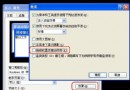
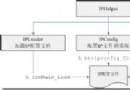
企業環境常需鎖定桌面,防止使用者存取「執行」、「搜尋」、「控制台」等功能。Windows 將這些設定儲存在 HKEY_CURRENT_USER\Software\Microsoft\Windows\CurrentVersion\Policies\Explorer 下的 DWORD 值中。
| 值名稱 | 值=1 效果 |
|---|---|
| NoClose | 隱藏「關機」 |
| NoRun | 隱藏「執行」 |
| NoFind | 隱藏「搜尋」 |
| NoSetFolders | 隱藏「控制台」與「印表機」 |
| NoSetTaskbar | 隱藏「工作列與開始選單屬性」 |
| NoLogOff | 隱藏「登出」 |
| NoRecentDocsMenu | 隱藏「我的文件」 |
using System;
using Microsoft.Win32;

class RegTest {
    public static void Main() {
        // 取得目前使用者根鍵
        RegistryKey baseKey = Registry.CurrentUser;
        // 建立或開啟目標子鍵
        RegistryKey policyKey = baseKey.CreateSubKey(
            @"Software\Microsoft\Windows\CurrentVersion\Policies\Explorer");
        // 寫入 DWORD = 1
        policyKey.SetValue("NoFind", 1);
        policyKey.SetValue("NoRun", 1);
        policyKey.SetValue("NoSetFolders", 1);
        // 釋放資源
        policyKey.Close();
        Console.WriteLine("Start menu restrictions applied.");
    }
}
explorer.exe 即可生效。reg export)。Registry.Users 下各 SID 對應分支。