C# 優勢在 UI,C++ 優勢在算法與庫生態。CPU 性能發展至今,C# 效率差距已非瓶頸,但現成 C++ 庫(幾萬行代碼)改寫成本極高,非托管 DLL + P/Invoke 是最佳協作方案。CLR 托管 C++ 僅為 C# 披馬甲,不如直接用 C#。
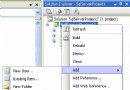
MyNativeDll。MFC apps must not #include <windows.h> 錯誤,必須重建專案)。
#define _EXTERN_C_ extern "C" _declspec(dllexport)
struct SystemTime {
  int year, month, day, hour, minute, second, millsecond;
  SystemTime& operator=(SystemTime st) { ... }
};
_EXTERN_C_ int add(int x, int y);
_EXTERN_C_ int sub(int x, int y);
_EXTERN_C_ int testChar(char* src, char* res, int nCount);
_EXTERN_C_ int testStruct(SystemTime& stSrc, SystemTime& stRes);
int add(int x, int y) { return x + y; }
int sub(int x, int y) { return x - y; }
int testChar(char* src, char* res, int nCount) { memcpy(res, src, sizeof(char)*nCount); return 1; }
int testStruct(SystemTime& stSrc, SystemTime& stRes) { stRes = stSrc; return 1; }
建置生成 MyNativeDll.dll、.lib 於 Debug 目錄。
[StructLayout(LayoutKind.Sequential)]
public struct SystemTime {
  public int year, month, day, hour, minute, second, millsecond;
  public SystemTime(DateTime dt) { ... }
  public override string ToString() { ... }
}

public class CFunction {
  [DllImport("MyNativeDll.dll", CharSet = CharSet.Auto, CallingConvention = CallingConvention.Cdecl)]
  public extern static int add(int x, int y);
  [DllImport(...)] public extern static int sub(int x, int y);
  [DllImport(...)] public extern static int testChar(ref byte src, ref byte res, int nCount);
  [DllImport(...)] public extern static int testStruct(ref SystemTime stSrc, ref SystemTime stRes);
}
int a = CFunction.add(100, 50); // 150
int b = CFunction.sub(100, 50); // 50

string src = "123456";
byte[] srcBytes = Encoding.ASCII.GetBytes(src);
byte[] resBytes = new byte[100];
CFunction.testChar(ref srcBytes[0], ref resBytes[0], src.Length);
string res = Encoding.ASCII.GetString(resBytes).TrimEnd(); // "123456"

SystemTime stSrc = new SystemTime(DateTime.Now);
SystemTime stRes = new SystemTime();
CFunction.testStruct(ref stSrc, ref stRes); // 結構體傳遞驗證
關鍵:將 DLL 複製至 C# 專案 bin\Debug\ 目錄下。
& 引用 ↔ C# ref;指針 ↔ IntPtr。string 對應 C++ char* 易因編碼(Unicode/多字節)出錯,建議用 byte[] 透傳。[StructLayout(LayoutKind.Sequential)] 保證記憶體對齊;含字串需 MarshalAs 指定長度。ref 參數回傳。IntPtr 轉換。int ↔ C# intchar* ↔ C# byte[] / StringBuilderstruct + StructLayout本文出自「幾縷蕭雨鎖清秋」博客,轉載請保留出處:https://joeyliu.blog.51cto.com/3647812/1289614