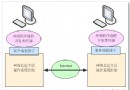
QLineEdit (輸入) + QPushButton (搜尋圖示)clicked 訊號連接搜尋槽函式setTextMargins)setPlaceholderText)m_pSearchLineEdit = new QLineEdit(this);
QPushButton *pSearchButton = new QPushButton(this);
pSearchButton->setCursor(Qt::PointingHandCursor);
pSearchButton->setFixedSize(22, 22);
pSearchButton->setToolTip(tr("搜尋"));
pSearchButton->setStyleSheet(
"QPushButton{border-image:url(:/images/icon_search_normal); background:transparent;}"
"QPushButton:hover{border-image:url(:/images/icon_search_hover)}"
"QPushButton:pressed{border-image:url(:/images/icon_search_press)}"
);
// 關鍵:讓輸入文字不被按鈕遮擋
QMargins margins = m_pSearchLineEdit->textMargins();
m_pSearchLineEdit->setTextMargins(margins.left(), margins.top(),
pSearchButton->width(), margins.bottom());
m_pSearchLineEdit->setPlaceholderText(tr("請輸入搜尋內容"));
// 佈局:按鈕靠右,配合 QLineEdit 內建佈局
QHBoxLayout *pSearchLayout = new QHBoxLayout();
pSearchLayout->addStretch();
pSearchLayout->addWidget(pSearchButton);
pSearchLayout->setSpacing(0);
pSearchLayout->setContentsMargins(0, 0, 0, 0);
m_pSearchLineEdit->setLayout(pSearchLayout);
// 訊號連接
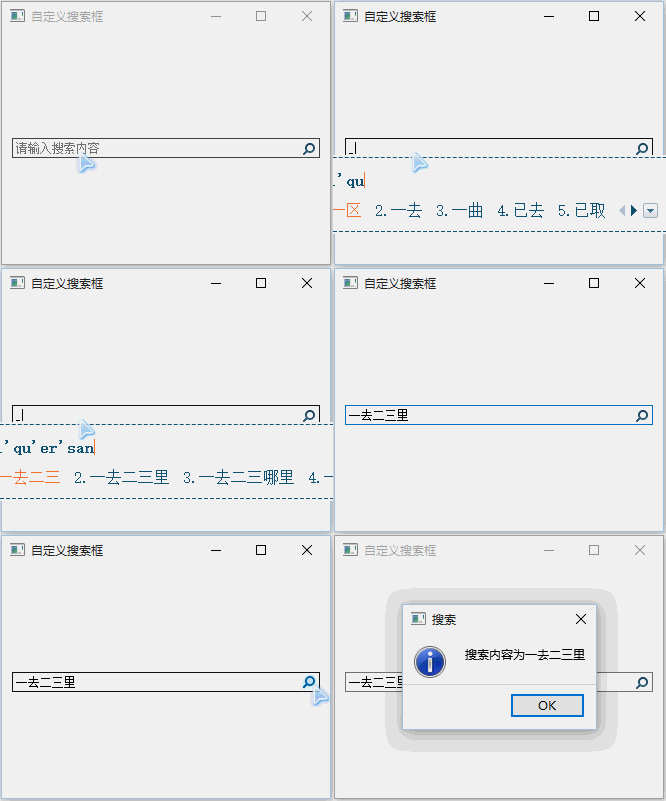
connect(pSearchButton, SIGNAL(clicked(bool)), this, SLOT(search()));void Widget::search() {
QString strText = m_pSearchLineEdit->text();
if (!strText.isEmpty()) {
QMessageBox::information(this, tr("搜尋"),
tr("搜尋內容為 %1").arg(strText));
}
}
延伸應用:可將
search()替換為實際資料模型過濾邏輯 (如QSortFilterProxyModel),即刻打造可即時過濾的表格/清單搜尋。