耗時數日,參考眾多資料,終於實現一個基於 Windows Socket 的簡易 HTTP 服務器。雖功能尚待完善,但核心框架(監聽、解析、靜態文件服務)已跑通。用 C 寫網絡底層,能深刻理解 Java/Python 等高級語言 Socket 封裝背後的原理。
main() 初始化 Winsock、創建監聽 Socket、進入無限循環 accepthandle_req() 解析 GET 請求、提取路徑、調度發送send_file() 根據擴展名設置 Content-Type、分塊讀取發送sendall() 循環調用 send() 確保數據完整發出int sendall(int s, char *buf, int *len) {
int total = 0, bytesleft = *len, n;
while (total < *len) {
n = send(s, buf + total, bytesleft, 0);
if (n == -1) break;
total += n; bytesleft -= n;
}
*len = total;
return n == -1 ? -1 : 0;
}
void send_header(int sock, char *content_type) {
    char *head = "HTTP/1.0 200 OK\r\n";
    sendall(sock, head, &len);
    if (content_type) {
        char temp[64];
        sprintf(temp, "Content-type: %s\r\n", content_type);
        sendall(sock, temp, &len);
    }
    send(sock, "\r\n", 2, 0); // 空行結束頭部
}
char* file_type(char* arg) {
    char *temp = strrchr(arg, '.');
    return temp ? temp + 1 : "";
}
// 在 send_file 中:
if (strcmp(ext, "html") == 0) ctype = "text/html";
else if (strcmp(ext, "gif") == 0) ctype = "image/gif";
else if (strcmp(ext, "jpg") == 0) ctype = "image/jpeg";
else ctype = "text/plain";
void handle_req(char* request, int client_sock) {
    char cmd[BUFSIZ], path[BUFSIZ];
    strcpy(path, "./"); // 相對當前目錄
    if (sscanf(request, "%s%s", cmd, path+2) != 2) return;
    if (strcmp(cmd, "GET") != 0) { wrong_req(client_sock); return; }
    if (not_exist(path)) { file_not_found(path, client_sock); return; }
    send_file(path, client_sock);
}
int make_server_socket() {
    int sock = socket(PF_INET, SOCK_STREAM, 0);
    struct sockaddr_in addr = {0};
    addr.sin_family = AF_INET;
    addr.sin_port = htons(10000);
    addr.sin_addr.s_addr = inet_addr("127.0.0.1");
    bind(sock, (struct sockaddr*)&addr, sizeof(addr));
    listen(sock, 10);
    return sock;
}
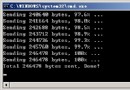
瀏覽器訪問 https://127.0.0.1:10000/index.html 成功返回頁面與圖片。
Content-Length、分塊傳輸epoll/io_uring)完整源碼見文中代碼塊,歡迎交流改進!