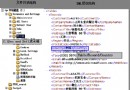
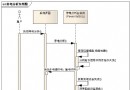
企業級 Web 系統常需依頁面、角色或業務規則動態調整文字方塊的最大長度、水印提示與錯誤訊息。硬編碼在頁面不利維護,採用 XML 組態 + 通用類別 可實現「不改程式碼、只改設定檔」即時生效。
<?xml version="1.0" encoding="utf-8"?>
<Tree>
  <Node>
    <Name>登入頁-內容輸入</Name>
    <PageId>Notice_Login_txtContent</PageId>
    <Control value="500"></Control>   <!-- 最大長度 -->
    <Message>請輸入登入公告內容,最多 500 字</Message> <!-- 水印/提示 -->
  </Node>
  <Node>
    <Name>註冊頁-暱稱</Name>
    <PageId>Register_txtNickName</PageId>
    <Control value="20"></Control>
    <Message>暱稱 2-20 字元</Message>
  </Node>
</Tree>
using System;
using System.Xml;
using System.Configuration;
using System.Web.UI.WebControls;

namespace XMLSize
{
    ///
    /// 回傳資料結構
    ///
    public struct RestrictInfo
    {
        public string PromptMessage; // 提示/水印文字
        public string ErrorMessage;  // 驗證失敗訊息
        public int MaxLength;        // 最大長度
    }

    public static class XmlRestrict
    {
        ///
        /// 依 XML 節點 ID 取得限制設定
        ///
        /// web.config 中指向 XML 目錄的鍵值
        /// XML 中 PageId 值
        /// 找到回傳 RestrictInfo,否則回傳 null
        public static RestrictInfo? GetRestrict(string configKey, string nodeId)
        {
            string xmlPath = ConfigurationManager.AppSettings[configKey] + "Restrict.xml";
            var doc = new XmlDocument();
            try { doc.Load(xmlPath); }
            catch { return null; }

            foreach (XmlNode node in doc.SelectSingleNode("Tree").ChildNodes)
            {
                if (node.Name != "Node") continue;
                var pageIdNode = node.SelectSingleNode("PageId");
                if (pageIdNode?.InnerText == nodeId)
                {
                    int maxLen = 0;
                    int.TryParse(node.SelectSingleNode("Control")?.Attributes["value"]?.Value, out maxLen);
                    return new RestrictInfo
                    {
                        MaxLength = maxLen,
                        PromptMessage = node.SelectSingleNode("Message")?.InnerText ?? "",
                        ErrorMessage = $"輸入長度不可超過 {maxLen} 字元"
                    };
                }
            }
            return null;
        }

        ///
        /// 一鍵套用至 TextBox 與 Label
        ///
        public static void Apply(TextBox txt, Label lblPrompt, Label lblError, RestrictInfo info)
        {
            txt.MaxLength = info.MaxLength;
            lblPrompt.Text = info.PromptMessage;
            lblError.Text = info.ErrorMessage;
        }
    }
}
<appSettings>
  <add key="webPath" value="~/App_Data/Config/" />
</appSettings>
protected void Page_Load(object sender, EventArgs e)
{
    if (!IsPostBack)
    {
        var info = XmlRestrict.GetRestrict("webPath", "Notice_Login_txtContent");
        if (info.HasValue)
            XmlRestrict.Apply(txtContent, lblPrompt, lblError, info.Value);
    }
}
以 XML 為中心的設定模式,將「業務規則」與「程式邏輯」解耦,讓非技術人員也能透過修改文字檔即時調整前端行為,極大降低維護成本。搭配快取與驗證整合,即可構建彈性、安全的動態表單驗證框架。