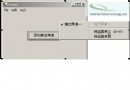
在日誌視窗、監控介面中,需讓 TextBox 內容自動向上捲動,到達底部後無縫循環回到頂部,滑鼠進入時暫停,離開繼續。
using System;
using System.Windows.Forms;
using System.Runtime.InteropServices;

namespace WindowsApplication27
{
    public partial class Form1 : Form
    {
        public Form1()
        {
            InitializeComponent();
            // 初始化測試資料
            for (int i = 0; i <= 20; i++)
                textBox1.Text += $"{i}:jinjazz__{i} ";

            timer1.Interval = 200;
            timer1.Start();
        }

        // Win32 API
        [DllImport("user32.dll", EntryPoint = "SendMessage")]
        public static extern int SendMessage(IntPtr hWnd, int wMsg, int wParam, int lParam);

        [DllImport("user32.dll")]
        public static extern int GetScrollPos(IntPtr hwnd, int nBar);

        [DllImport("user32.dll")]
        static extern int SetScrollPos(IntPtr hWnd, int nBar, int nPos, bool bRedraw);

        const int EM_LINESCROLL = 0xB6; // 垂直捲動一行

        private void timer1_Tick(object sender, EventArgs e)
        {
            int posBefore = GetScrollPos(textBox1.Handle, 1); // SB_VERT = 1

            // 向下捲動一行
            SendMessage(textBox1.Handle, EM_LINESCROLL, 0, 1);

            // 若捲動條位置未變化,表示已到達底部
            if (posBefore == GetScrollPos(textBox1.Handle, 1))
            {
                // 回到頂部:SetScrollPos 文字與捲動條不同步,改用選取游標法
                textBox1.SelectionStart = 0;
                textBox1.SelectionLength = 1;
                textBox1.ScrollToCaret();
                textBox1.SelectionLength = 0;
            }
        }

        private void textBox1_MouseEnter(object sender, EventArgs e) => timer1.Stop();
        private void textBox1_MouseLeave(object sender, EventArgs e) => timer1.Start();
    }
}
wParam=0, lParam=1 表示垂直向下一行。SetScrollPos 僅移動捲動條,不帶動文字,故不採用。SelectionStart=0 實現跳回頂部。MouseEnter/Leave 控制 Timer 啟停,提升使用者體驗。RichTextBox 可支援彩色日誌、RTF 格式。SB_HORZ = 0 與 EM_LINESCROLL 的 wParam 參數。結合 Win32 訊息與 TextBox 原生方法,即可實現流暢、可控的循環捲動效果,適合即時日誌、跑馬燈等場景。