mainwindow.cpp:
MainWindow::MainWindow(QWidget *parent) : QMainWindow(parent) {
    QMenuBar *menuBar = new QMenuBar(this);
    QMenu *fileMenu = new QMenu(tr("&File"), menuBar);  // & 產生快捷鍵底線
    QAction *newFile = new QAction(tr("&New..."), fileMenu);
    fileMenu->addAction(newFile);
    QAction *openFile = new QAction(tr("&Open..."), fileMenu);
    fileMenu->addAction(openFile);
    menuBar->addMenu(fileMenu);
    setMenuBar(menuBar);
    connect(openFile, SIGNAL(triggered()), this, SLOT(fileOpen()));
}

void MainWindow::fileOpen() {
    QFileDialog *fileDialog = new QFileDialog(this);  // 建構函式法:Qt 繪製,可翻譯
    fileDialog->setWindowTitle(tr("Open File"));
    fileDialog->setDirectory(".");
    if (fileDialog->exec() == QDialog::Accepted) {
        QString path = fileDialog->selectedFiles()[0];
        QMessageBox::information(NULL, tr("Path"), tr("You selected\n%1").arg(path));
    } else {
        QMessageBox::information(NULL, tr("Path"), tr("You didn't select any files."));
    }
}
關鍵點:
& 標記快捷鍵 (Alt+F 開啟 File 選單)。QFileDialog 建構函式而非靜態函式,前者為 Qt 自繪可翻譯,後者呼叫系統原生對話框難以翻譯。tr("You selected\n%1").arg(path) 正確處理動態參數。
TRANSLATIONS += myapp.ts
lupdate MyApp.pro
輸出範例:Updating 'myapp.ts'... Found 7 source text(s) (0 already existing)。lupdate 為增量更新,保留既有翻譯,僅處理新增/修改字串。
myapp.qm (二進位優化格式)。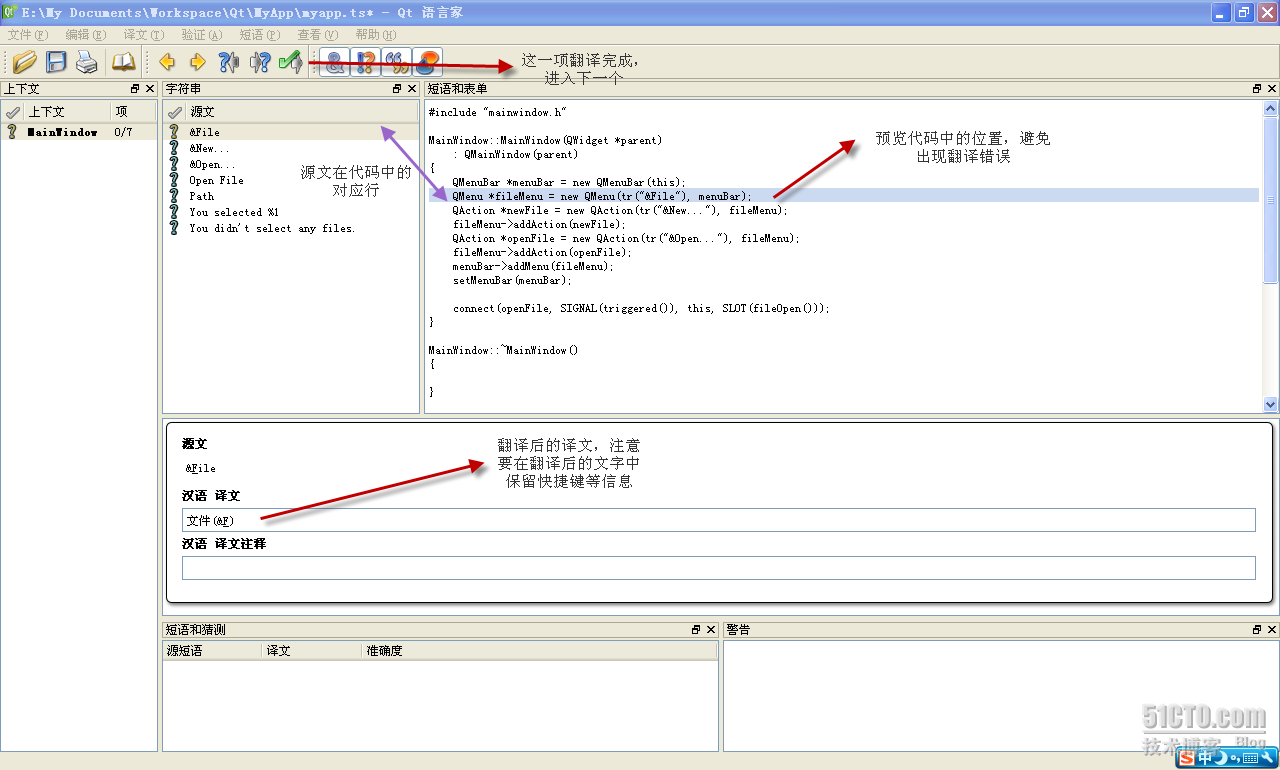
int main(int argc, char *argv[]) {
    QApplication a(argc, argv);
    QTranslator qtTranslator;
    qtTranslator.load("myapp.qm");  // 相對路御:執行檔同目錄
    a.installTranslator(&qtTranslator);
    MainWindow w;
    w.resize(800, 600);
    w.show();
    return a.exec();
}
常見坑:load() 使用相對路徑,若 .qm 不在執行檔目錄會載入失敗 → 介面仍為英文。解決:將 .qm 複製至建置輸出目錄 (如 debug/ 或 release/)。
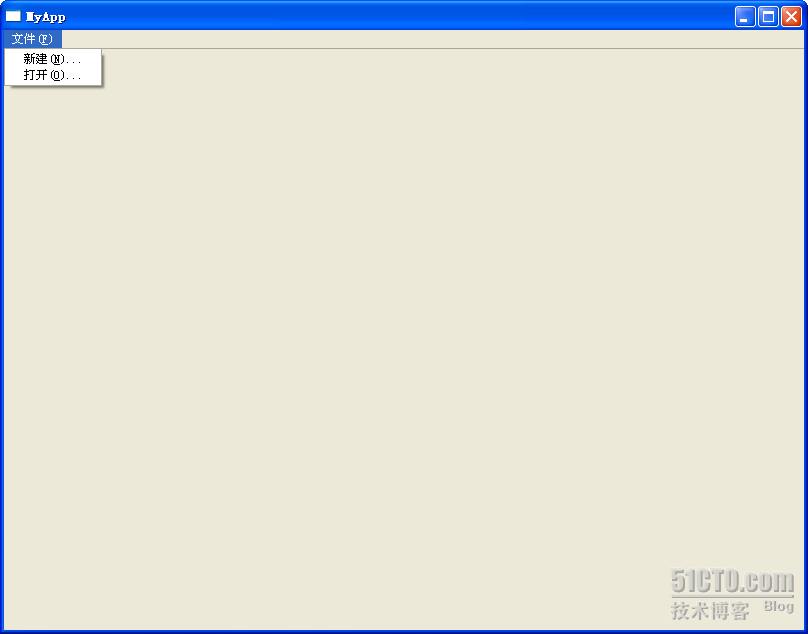
.qm 為動態載入而非編譯嵌入,支援執行時切換:
void switchLanguage(const QString &lang) {
qApp->removeTranslator(¤tTranslator);
currentTranslator.load(lang + ".qm");
qApp->installTranslator(¤tTranslator);
// 需觸發 UI 重新翻譯:changeEvent(QEvent::LanguageChange) 或重建 UI
}
tr()。comment 解決多義詞。%1~%9 + arg()。QObject::tr() 或 qApp->translate()。QT_TR_NOOP/QT_TRANSLATE_NOOP 標記。lupdate 同步新增字串。Qt 國際化機制成熟、工具鏈完整,遵循上述流程即可輕鬆構建多語言應用,支援未來動態切換語言擴充。