詳細記錄 Windows 下 Eclipse CDT + MinGW 環境配置 Boost 庫的完整流程,含編譯、項目配置、測試驗證。
bootstrap.bat 生成 bjam.exebjam.exe --build-type=complete toolset=gcc stagestage/lib 目錄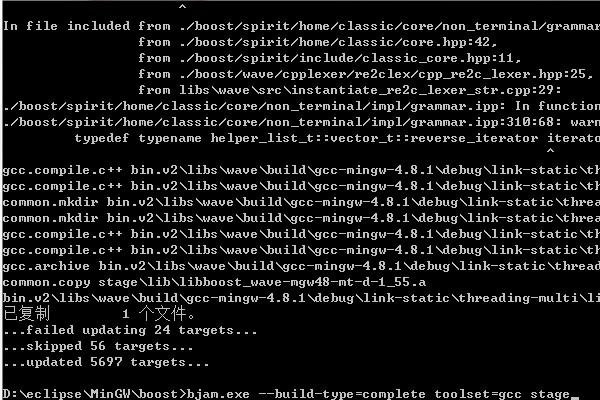
將 XXX\boost\stage\lib 添加到系統 Path,重啟電腦生效。
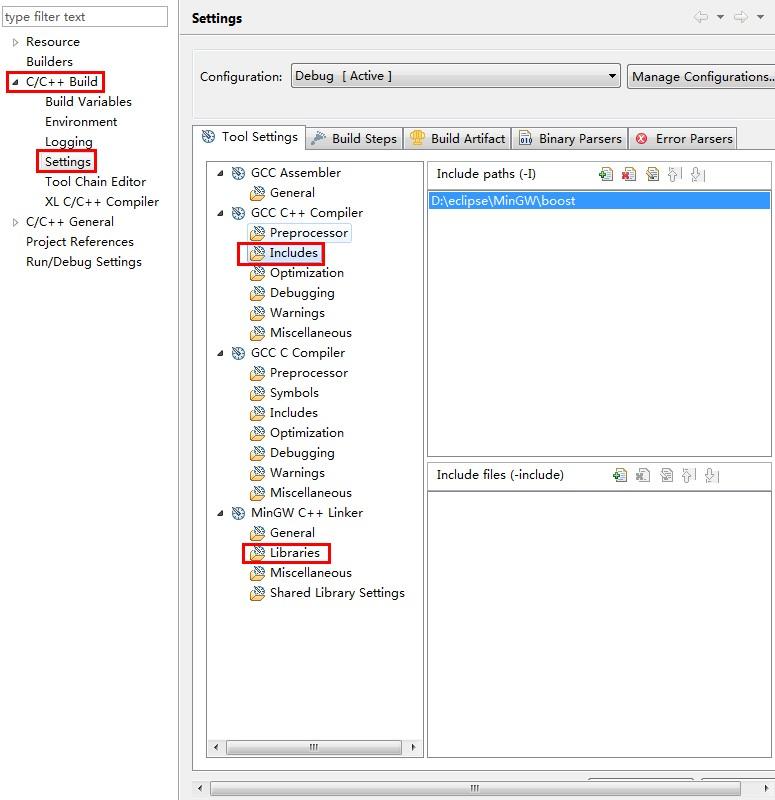
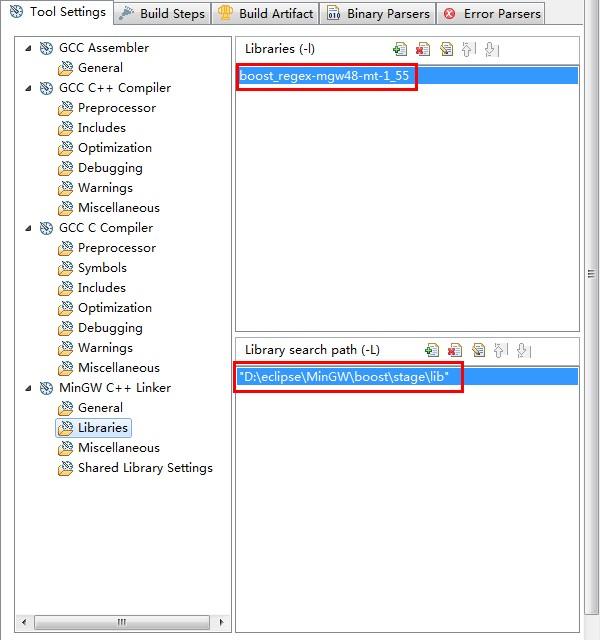
#include <boost/regex.hpp>
#include <iostream>
#include <iterator>
#include <algorithm>
using namespace std;
using namespace boost;

int main() {
    string pattern("[^c]ei");
    pattern = "[[:alpha:]]*" + pattern + "[[:alpha:]]*";
    regex r(pattern);
    smatch results;
    string test_str = "receipt freind theif receive";
    if (regex_search(test_str, results, r))
        cout << results.str() << std::endl;
    return 0;
}
成功編譯運行即配置完成。