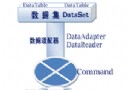
資料存取層 (DAL) 只負責「如何存取資料」,不包含「業務規則」。業務邏輯層 (BLL) 位於表示層與 DAL 之間,封裝驗證、授權、工作流程、跨表一致性等規則,確保資料操作符合業務需求,並提供乾淨、可測試的 API 給表示層呼叫。
表示層
    │  呼叫 BLL 方法、繫結 ObjectDataSource
    ▼
業務邏輯層 (BLL)  ←─ 驗證規則、授權、稽核、交易協調
    │  呼叫 DAL 方法
    ▼
資料存取層 (DAL)  ←─ SQL/預存程序、連線管理、資料對應
    │
    ▼
資料庫
App_Code → 新增資料夾 DAL、BLL。DAL。BLL 建立類別檔:ProductsBLL.cs、CategoriesBLL.cs、SuppliersBLL.cs、EmployeesBLL.cs。using System;
using System.Data;
using DAL; // 命名空間對應資料夾
namespace BLL
{
[System.ComponentModel.DataObject] // 支援 ObjectDataSource 設計時偵測
public class ProductsBLL
{
private ProductsTableAdapter _adapter = new ProductsTableAdapter();
[System.ComponentModel.DataObjectMethod(DataObjectMethodType.Select, true)]
public Northwind.ProductsDataTable GetProducts()
{
return _adapter.GetProducts();
}
[System.ComponentModel.DataObjectMethod(DataObjectMethodType.Select, false)]
public Northwind.ProductsDataTable GetProductsByCategory(int categoryID)
{
return _adapter.GetProductsByCategory(categoryID);
}
[System.ComponentModel.DataObjectMethod(DataObjectMethodType.Insert, true)]
public int InsertProduct(string productName, int? supplierID, int? categoryID,
string quantityPerUnit, decimal? unitPrice, short? unitsInStock,
short? unitsOnOrder, short? reorderLevel, bool discontinued)
{
// 業務規則驗證
if (string.IsNullOrWhiteSpace(productName))
throw new ArgumentException("產品名稱不可空白");
if (unitPrice.HasValue && unitPrice < 0)
throw new ArgumentException("單價不可為負數");
if (unitsInStock.HasValue && unitsInStock < 0)
throw new ArgumentException("庫存不可為負數");
// 呼叫 DAL 執行新增
return _adapter.Insert(productName, supplierID, categoryID,
quantityPerUnit, unitPrice, unitsInStock, unitsOnOrder,
reorderLevel, discontinued);
}
[System.ComponentModel.DataObjectMethod(DataObjectMethodType.Update, true)]
public bool UpdateProduct(string productName, int? supplierID, int? categoryID,
string quantityPerUnit, decimal? unitPrice, short? unitsInStock,
short? unitsOnOrder, short? reorderLevel, bool discontinued,
int productID)
{
// 業務規則:停售產品不可修改供應商/分類
Northwind.ProductsRow row = _adapter.GetProductByID(productID)[0];
if (row.Discontinued && (supplierID != row.SupplierID || categoryID != row.CategoryID))
throw new InvalidOperationException("停售產品不得變更供應商或分類");
int affected = _adapter.Update(productName, supplierID, categoryID,
quantityPerUnit, unitPrice, unitsInStock, unitsOnOrder,
reorderLevel, discontinued, productID);
return affected == 1;
}
[System.ComponentModel.DataObjectMethod(DataObjectMethodType.Delete, true)]
public bool DeleteProduct(int productID)
{
// 授權檢查:僅管理員可刪除
if (!HttpContext.Current.User.IsInRole("Administrators"))
throw new UnauthorizedAccessException("僅管理員可刪除產品");
int affected = _adapter.Delete(productID);
return affected == 1;
}
}
}
<asp:ObjectDataSource ID="odsProducts" runat="server"
    TypeName="BLL.ProductsBLL"
    SelectMethod="GetProducts"
    InsertMethod="InsertProduct"
    UpdateMethod="UpdateProduct"
    DeleteMethod="DeleteProduct"
    DataObjectTypeName="DAL.Northwind.ProductsRow" >
</asp:ObjectDataSource>
DataObjectTypeName 指定強型別資料列,ObjectDataSource 自動將表單欄位對應至 ProductsRow 屬性,傳遞給 BLL 方法,免去逐一宣告參數。
跨多個 DAL 更新需保持原子性:
using (TransactionScope scope = new TransactionScope())
{
    _adapter.Update(...);
    _otherAdapter.Update(...);
    scope.Complete();
}
[DataObjectMethod(DataObjectMethodType.Select, true)] 標記預設查詢。EnableCaching="true" CacheDuration="300" 快取查詢結果。SqlCacheDependency 實現資料異動自動失效。public ProductsBLL(IProductsDAL dal)。protected void odsProducts_Inserted(object sender, ObjectDataSourceStatusEventArgs e)
{
if (e.Exception != null)
{
lblError.Text = "新增失敗:" + e.Exception.GetBaseException().Message;
e.ExceptionHandled = true; // 防止黃色死機畫面
}
}
GetProductsByCategory 而非 GetData)。DataObjectAttribute、DataObjectMethodAttribute 豐富設計時中繼資料。bool 表示成敗、int 回傳新 ID、Entity 回傳完整物件。建立業務邏輯層 (BLL) 是 ASP.NET 2.0 邁向專業分層架構的關鍵步驟。它將「業務規則」從頁面程式碼與資料存取中剝離,形成可重用、可測試、可維護的核心資產。配合 ObjectDataSource、DataObjectTypeName、TransactionScope、單元測試注入等技術,即可打造企業級資料驅動應用的堅實骨幹。