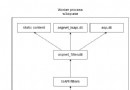
/products/widgets 取代 /displayCategory.aspx?CategoryID=5,短、易記、可推測結構、可「刪節」瀏覽 (如 /products 列出所有分類)。.aspx、.ashx 等 → aspnet_isapi.dll (經典) 或 Managed 管線 (整合)。BeginRequest → AuthenticateRequest → AuthorizeRequest → ... → MapRequestHandler (決定 Handler) → ExecuteHandler。BeginRequest 或 AuthenticateRequest (早期管線),在 MapRequestHandler 前完成 Context.RewritePath,後續流程將視為重寫後路徑處理。Public Class UrlRewriteModule : Implements IHttpModule
Private _rules As List(Of RewriteRule)
Public Sub Init(app As HttpApplication) Implements IHttpModule.Init
_rules = LoadRulesFromConfig() ' 從 XML/JSON/資料庫載入規則
AddHandler app.BeginRequest, AddressOf OnBeginRequest
End Sub
Private Sub OnBeginRequest(sender As Object, e As EventArgs)
Dim app As HttpApplication = CType(sender, HttpApplication)
Dim ctx As HttpContext = app.Context
Dim rawUrl As String = ctx.Request.RawUrl ' 含 QueryString
Dim path As String = ctx.Request.Path
For Each rule In _rules
Dim match As Match = rule.Pattern.Match(path)
If match.Success Then
Dim newPath As String = rule.Replacement
' 支援捕獲群組替換 $1, $2...
For i As Integer = 1 To match.Groups.Count - 1
newPath = newPath.Replace("$" & i, match.Groups(i).Value)
Next
' 保留原 QueryString (除非規則指定覆蓋)
Dim newUrl As String = newPath
If ctx.Request.QueryString.Count > 0 AndAlso Not rule.SuppressQueryString Then
newUrl &= "?" & ctx.Request.QueryString.ToString()
End If
ctx.RewritePath(newUrl, False) ' 第二參數 false 表示不重設 PathInfo
Exit For ' 首次匹配即停止
End If
Next
End Sub
Public Sub Dispose() Implements IHttpModule.Dispose
End Sub
End Class
Public Class RewriteRule
Public Property Pattern As Regex
Public Property Replacement As String
Public Property SuppressQueryString As Boolean
End Class
<system.webServer>
  <modules runAllManagedModulesForAllRequests="true">
    <add name="UrlRewriteModule" type="MyApp.Modules.UrlRewriteModule, MyApp" />
  </modules>
</system.webServer>
runAllManagedModulesForAllRequests="true" 確保靜態檔案請求也經過 Managed 模組 (可改用 preCondition="" 精確控制)。
Public Class RestHandlerFactory : Implements IHttpHandlerFactory
    Public Function GetHandler(context As HttpContext, requestType As String, url As String, pathTranslated As String) As IHttpHandler Implements IHttpHandlerFactory.GetHandler
        Dim path As String = context.Request.Path.ToLower()
        If path.StartsWith("/api/products") Then
            Return New ProductsApiHandler()
        ElseIf path.StartsWith("/api/orders") Then
            Return New OrdersApiHandler()
        End If
        Return New DefaultHandler()
    End Function
    Public Sub ReleaseHandler(handler As IHttpHandler) Implements IHttpHandlerFactory.ReleaseHandler
    End Sub
End Class
<system.webServer>
  <handlers>
    <add name="RestFactory" verb="*" path="/api/*" type="MyApp.Factories.RestHandlerFactory, MyApp" />
  </handlers>
</system.webServer>
<system.web>
  <urlMappings enabled="true">
    <add url="~/products/widgets" mappedUrl="~/displayCategory.aspx?CategoryID=5" />
    <add url="~/products/gadgets" mappedUrl="~/displayCategory.aspx?CategoryID=7" />
  </urlMappings>
</system.web>
優點:零程式碼、設定檔維護;缺點:不支援 Regex、動態參數、效能較差 (每請求遍歷集合)。
安裝 URL Rewrite Module 2.0 後,直接在 web.config 定義規則,由 IIS 原生模組 (C++) 處理,不進入 Managed 管線,效能最佳:
<system.webServer>
  <rewrite>
    <rules>
      <rule name="ProductCategory" stopProcessing="true">
        <match url="^products/([a-z-]+)/?$" />
        <conditions>
          <add input="{REQUEST_FILENAME}" matchType="IsFile" negate="true" />
          <add input="{REQUEST_FILENAME}" matchType="IsDirectory" negate="true" />
        </conditions>
        <action type="Rewrite" url="displayCategory.aspx?CategoryName={R:1}" />
      </rule>
      <rule name="LegacyAspxRedirect" stopProcessing="true">
        <match url="^oldpage\.aspx$" />
        <action type="Redirect" url="/newpage" redirectType="Permanent" /> <!-- 301 重導向 -->
      </rule>
    </rules>
  </rewrite>
</system.webServer>
' HttpModule 中
If Not File.Exists(ctx.Request.PhysicalPath) AndAlso Not Directory.Exists(ctx.Request.PhysicalPath) Then
    ' 記錄 404 日誌
    Log404(ctx.Request.RawUrl, ctx.Request.UserHostAddress)
    ' 重寫至搜尋頁,保留原路徑作為查詢關鍵字
    Dim searchTerm As String = ctx.Server.UrlEncode(ctx.Request.Path.Trim("/"c))
    ctx.RewritePath("/Search.aspx?q=" & searchTerm)
End If
runAllManagedModulesForAllRequests="true" 會讓圖片/CSS/JS 也經過模組,建議在模組開頭快速返回:If ctx.Request.PhysicalPath.EndsWith(".jpg") Then Return 或改用 IIS Rewrite Module。RewritePath 保留 Request.Form,但 HttpContext.Current.Request.HttpMethod 仍為 POST,Handler 需正確處理。ASP.NET URL 重寫從早期 HttpModule 自製、UrlMapping 簡易對應,演進至現代 IIS URL Rewrite Module 原生處理。選型建議:新專案優先使用 IIS Rewrite Module (效能最佳、規則豐富、不佔用 Managed 管線);舊專案維護可用 HttpModule;REST API 路由用 Handler Factory 或 ASP.NET Web API 路由系統。掌握管線切入點、RewritePath 行為、靜態檔案排除與循環防護,即能構建穩健的友善 URL 架構。