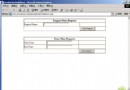
在 Windows Forms 專案中嵌入 AxWebBrowser (IE ActiveX),載入本地 HTML 頁面並以程式碼觸發表單提交或按鈕點擊。
<form id="form1">
  <input type="submit" value="Start" name="Btton" onclick="if(typeof(Page_ClientValidate)=='function') Page_ClientValidate();" />
</form>
<input type="button" id="button1" onclick="alert('test')" />
using System;
using System.Windows.Forms;
using mshtml; // 需參考 Microsoft.mshtml

namespace WindowsApplication
{
    public partial class Form1 : Form
    {
        private AxSHDocVw.AxWebBrowser axWebBrowser1;
        private Button button1, button2;

        public Form1() { InitializeComponent(); }

        private void button1_Click(object sender, EventArgs e)
        {
            object empty = System.Reflection.Missing.Value;
            axWebBrowser1.Navigate(@"E:\Documents and Settings\Administrator\桌面\dddd.htm", ref empty, ref empty, ref empty, ref empty);
        }

        private void button2_Click(object sender, EventArgs e)
        {
            mshtml.IHTMLDocument2 doc = (mshtml.IHTMLDocument2)axWebBrowser1.Document;
            // 提交表單
            mshtml.IHTMLFormElement form = (mshtml.IHTMLFormElement)doc.all.item("form1", 0);
            form.submit();

            // 或觸發按鈕點擊
            mshtml.IHTMLElement btn = (mshtml.IHTMLElement)doc.all.item("button1", 0);
            btn.click();
        }
    }
}
SHDocVw (AxWebBrowser) 與 mshtml (DOM 介面)。Navigate 載入本地檔案使用 file:// 路徑或直接絕對路徑。doc.all.item(id, index) 取得表單/元素,呼叫 submit() 或 click()。