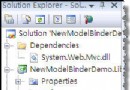
本文帶領從零建立 ASP.NET MVC 專案,新增第一個 EiceController,觀察預設產生代碼結構,並說明 Controller 基礎架構。
EiceController(慣例以 Controller 結尾)。using System;
using System.Collections.Generic;
using System.Linq;
using System.Web;
using System.Web.Mvc;
namespace MvcApplication2.Controllers
{
public class EiceController : Controller
{
public void Index(string id)
{
}
}
}System.Web.Mvc.Controller。public void Index(string id) 即為 Action,參數 id 會自動從路由資料繫結。建立對應 View(Views/Eice/Index.aspx),並在 Action 中呼叫 RenderView("Index") 即可看到執行結果。後續將介紹 View 建立、資料傳遞、路由對應等核心概念。
ASP.NET MVC 專案結構清晰,Controller 為核心進入點,理解其繼承體系與 Action 簽章是開發基礎。