伺服器原運行 ASP.NET 1.1 正常,安裝 .NET Framework 2.0 後,網站出現 Server Application Unavailable 錯誤。事件檢視器記錄:Error: 0x80070005 Access is denied. Failed to execute request because the App-Domain could not be created. 根因為 ASP.NET 1.1 與 2.0 版本衝突,導致應用程式集區身分識別權限不足。
Server Application Unavailable
The web application you are attempting to access on this web server is currently unavailable.
Please hit the "Refresh" button in your web browser to retry your request.

Administrator Note: An error message detailing the cause of this specific request failure
can be found in the application event log of the web server.Error: Failed to execute request because the App-Domain could not be created.
Error: 0x80070005 Access is denied..NET Framework 2.0 安裝會註冊新的 ASP.NET ISAPI 對應,但現有網站的應用程式集區仍使用舊版身分識別(如 ASPNET 本地帳戶),且虛擬目錄的 NTFS 權限缺少新版本所需的帳戶(Network Service、Local Service、IWAM_<MachineName>),導致應用程式域建立失敗。
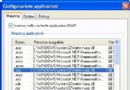
.aspx 對應至 aspnet_isapi.dll 2.0 版本(C:\Windows\Microsoft.NET\Framework\v2.0.50727\aspnet_isapi.dll)。ASPNET(1.1 相容)IWAM_<MachineName>Local ServiceNetwork ServiceSystemAdministratorsNetworkService 或自訂具備權限的網域帳戶。iisreset 重啟 IIS。若上述無效,執行指令重新註冊 ASP.NET 2.0 ISAPI:
C:\Windows\Microsoft.NET\Framework\v2.0.50727\aspnet_regiis.exe -i參數說明:-i 安裝 ASP.NET ISAPI 對應並更新腳本對應;-r 僅更新腳本對應;-u 移除。
瀏覽網站首頁,確認不再出現錯誤。若仍有問題,檢查事件檢視器最新記錄,並確認 Web.config 無語法錯誤、<processModel> 設定正確。
%windir%\system32\inetsrv\MetaBase.xml)。Network Service、IIS_IUSRS(IIS 7+)。