ASP.NET 2.0 支援巢狀 MasterPage,但子版面頁在設計檢視模式下無法正常顯示與拖曳控件。本文提供一個繞過限制的實用技巧。
BasePage,包含 RuntimeMasterPageFile 屬性。OnPreInit,在執行期依據屬性值設定 MasterPageFile。public class BasePage : System.Web.UI.Page
{
private string runtimeMasterPageFile;
public string RuntimeMasterPageFile
{
get { return runtimeMasterPageFile; }
set { runtimeMasterPageFile = value; }
}
protected override void OnPreInit(EventArgs e)
{
if (runtimeMasterPageFile != null)
this.MasterPageFile = runtimeMasterPageFile;
base.OnPreInit(e);
}
}
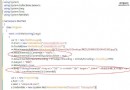
MainMaster.master:根版面,含 Header、Footer 與 MainContent ContentPlaceHolder。SubMaster.master:繼承 MainMaster,內含兩欄表格,各放一個 ContentPlaceHolder(LeftColumn、RightColumn)。<%@ Page Language="C#" MasterPageFile=""
RuntimeMasterPageFile="SubMaster.master"
CodeFileBaseClass="BasePage" ... %>
MasterPageFile 留空 → 設計時不套用版面,可正常編輯。RuntimeMasterPageFile 指定執行期套用的版面。CodeFileBaseClass 指向 BasePage 啟用動態切換邏輯。微軟官方承諾在下一版 Visual Studio 完整支援巢狀 MasterPage 設計時體驗。此法為暫時性繞過方案,實測於 VS2005/IIS6 有效。