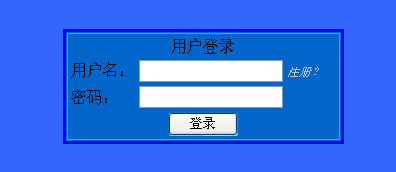
登入頁面需求:固定寬高、多樣顏色、可讀性佳的數字驗證碼。現有開源元件多寬度不固定、顏色單一或過度扭曲,自行實作更可控。
Session["ValidateCode"]。R+G+B > 400 時 B=0,否則 B = 400-R-G 保證對比度。Bitmap + Graphics,逐字元隨機位移繪製,白底灰框,PNG 格式二進位輸出。public string GetRandomNumberString(int length) {
Random r = new Random();
StringBuilder sb = new StringBuilder();
for (int i=0; i<length; i++) sb.Append(r.Next(10));
return sb.ToString();
}
public Color GetRandomColor() {
Random r1 = new Random((int)DateTime.Now.Ticks);
Thread.Sleep(r1.Next(50));
Random r2 = new Random((int)DateTime.Now.Ticks);
int R = r1.Next(256), G = r2.Next(256);
int B = (R + G > 400) ? 0 : 400 - R - G;
return Color.FromArgb(R, G, Math.Min(B, 255));
}
public void CreateImage(string code) {
int w = code.Length * 13;
using (Bitmap bmp = new Bitmap(w, 20))
using (Graphics g = Graphics.FromImage(bmp)) {
g.Clear(Color.White);
g.DrawRectangle(new Pen(Color.LightGray), 0, 0, w-1, 19);
Font font = new Font("Arial", 10);
Random r = new Random();
for (int i=0; i<code.Length; i++) {
Brush brush = new SolidBrush(GetRandomColor());
Point pt = new Point(i*13 + 1 + r.Next(3), 1 + r.Next(3));
g.DrawString(code[i].ToString(), font, brush, pt);
}
using (MemoryStream ms = new MemoryStream()) {
bmp.Save(ms, ImageFormat.Png);
Response.ClearContent();
Response.ContentType = "image/png";
Response.BinaryWrite(ms.ToArray());
}
}
Response.End();
}
<img src="ValidateCode.ashx" alt="驗證碼" onclick="this.src='ValidateCode.ashx?'+Math.random()" style="cursor:pointer" />
<asp:TextBox ID="txtCode" runat="server" />
<asp:Button Text="登入" OnClick="BtnLogin_Click" runat="server" />
驗證時:if (txtCode.Text == Session["ValidateCode"].ToString())。
System.Drawing.Common (跨平台) 或 SkiaSharp 替代 GDI+。