優秀的控件不僅執行時強大,更要在 Visual Studio 設計時提供一流體驗。本文系統介紹五大設計時支援類型及其實作機制。
| 支援類型 | 實現機制 | 關鍵技術 |
|---|---|---|
| 程式碼編輯器 IntelliSense | IDE 讀取組件中繼資料 | 編譯組件放入 Bin 目錄即可 |
| 設計檢視屬性瀏覽器 | TypeConverter + 中繼資料屬性 | Category、Description、Editor、TypeConverter |
| 工具箱拖放支援 | ToolboxBitmapAttribute | 嵌入 16x16 位圖資源 |
| HTML 視圖屬性瀏覽器 | XSD 結構描述 + VS 註釋 | 自定義 .xsd,指定編輯器、預設值 |
| HTML 編輯器 IntelliSense | 同 HTML 視圖 XSD | vs:toolboxitem、vs:property 等註釋 |
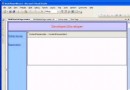
ControlDesigner,重寫 GetDesignTimeHtml 輸出設計時專用 HTML(如顯示未繫結資料的佔位提示)。DesignerAttribute 綁定:[Designer(typeof(MyControlDesigner))]。DesignerActionListCollection,提供常用任務捷徑。// Blog.cs - 控件本體
[Designer(typeof(BlogDesigner))]
[ToolboxBitmap(typeof(Blog), "Blog.bmp")]
public class Blog : WebControl { ... }
// BlogDesigner.cs - 設計器
public class BlogDesigner : ControlDesigner
{
public override string GetDesignTimeHtml() { ... }
public override DesignerActionListCollection ActionLists { get { ... } }
}
// Blog.xsd - HTML 視圖結構描述
<xs:schema ...>
<xs:element name="Blog" vs:toolboxitem="true"> ... </xs:element>
</xs:schema>
Visual Studio 安裝目錄\Common7\IDE\PublicAssemblies 或專案引用。
3. 在 web.config 註冊標記前綴:<add tagPrefix="cc" namespace="MyControls" assembly="MyControls" />。
投資設計時體驗,能讓使用者像操作原生控件一樣高效使用你的控件,是商業級控件的必修課。