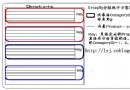
異常處理非 `try-catch` 而已,需建立應用程式級、頁面級、方法級三層防線,搭配 `web.config`、Health Monitoring、Enterprise Library 實現全方位錯誤管理。
void Application_Error(object sender, EventArgs e)
{
    Exception ex = Server.GetLastError().GetBaseException();

    // 1. 寫入 Windows 事件日誌
    if (!EventLog.SourceExists("MyApp"))
        EventLog.CreateEventSource("MyApp", "Application");
    EventLog.WriteEntry("MyApp", ex.ToString(), EventLogEntryType.Error);

    // 2. 發送 Email 通知開發團隊
    var mail = new MailMessage("admin@mysite.com", "dev@mysite.com")
    {
        Subject = "【嚴重錯誤】" + Request.Url,
        Body = $"{ex}\n\nURL: {Request.Url}\nUser: {User.Identity.Name}"
    };
    new SmtpClient("smtp.mysite.com").Send(mail);

    // 3. 導向友善錯誤頁
    Server.ClearError();
    Response.Redirect("/Error.aspx");
}
注意:ASP.NET 執行身分 (IIS_IUSRS/ApplicationPoolIdentity) 需具備「事件日誌」寫入權限 (登錄機碼 `HKLM\SYSTEM\CurrentControlSet\Services\Eventlog\Application`)。
public class BasePage : Page
{
    protected void Page_Error(object sender, EventArgs e)
    {
        Exception ex = Server.GetLastError();
        // 記錄頁面級錯誤 (較輕量,不發 Email)
        LogHelper.Write("PageError", ex);
        Server.ClearError();
        Response.Redirect("/PageError.aspx");
    }
}
零代碼自動記錄所有未處理例外至事件日誌/SQL/Email,支援心跳事件監控應用程式存活狀態。