承接自訂控件系列,本文補充說明 狀態管理、Style 類應用,並完整展示 Register 控件的 Render 方法實作與輸出 HTML 結構分析。
<!-- 開始標記 -->
<table>
  <!-- Caption 標記 -->
  <caption>用戶註冊</caption>
  <!-- 控件主體 tbody -->
  <tbody>
    <tr>
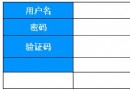
      <td>用戶名:</td>
      <td>
        <input name='txtUserName' type='text' id='txtUserName'
             value='請輸入用戶名' onfocus='this.select()' />
      </td>
    </tr>
    <tr>
      <td>密  碼:</td>
      <td>
        <input name='txtPassword' type='password' id='txtPassword' value='' />
      </td>
    </tr>
    <tr>
      <td>確認密碼:</td>
      <td>
        <input name='txtSecPassword' type='password' id='txtSecPassword' />
      </td>
    </tr>
    <tr>
      <td colspan='2'>
        <input type='submit' name='btnRegister' value='註冊' id='btnRegister' />

        <input type='reset' id='btnReset' value='重置' />
      </td>
    </tr>
  </tbody>
</table>
<!-- 結束標記 -->RenderBeginTag/RenderEndTag 確保標籤巢狀正確。name='txtUserName' id='txtUserName',確保 PostBack 正確繫結。onfocus='this.select()' 提升使用者體驗。CaptionText, ButtonText) 透過 ControlStyle 統一管理外觀。ViewState[\"CaptionText\"] = value;,跨 PostBack 保持。EnableViewState=false 也能運作的核心狀態 (如分頁索引)。DefaultValueAttribute 配合 ShouldSerializeXxx 避免序列化預設值。[DefaultProperty("CaptionText")]
public class Register : WebControl, INamingContainer
{
// 透過 ControlStyle 統一管理外觀屬性
public Color CaptionForeColor
{
get { return ControlStyle.ForeColor; }
set { ControlStyle.ForeColor = value; }
}
protected override void Render(HtmlTextWriter writer)
{
// 套用 ControlStyle 到外層 Table
ControlStyle.AddAttributesToRender(writer);
writer.RenderBeginTag(HtmlTextWriterTag.Table);
// ... 內容渲染
writer.RenderEndTag(); // Table
}
}自訂控件的 Render 方法需精確控制 HTML 結構、屬性與子控件輸出順序。善用 HtmlTextWriter、ControlStyle、ViewState/ControlState,能建立健壯、可重用、設計工具友善的伺服器控件。