承接上篇列表顯示,本文示範 DynamicData for ASP.NET MVC 的 Scaffold 功能:自動產生新增/編輯/刪除/詳細檢視頁面,並整合資料驗證屬性。
protected void Application_Start() {
    RegisterRoutes(RouteTable.Routes);

    var model = new MetaModel();
    model.RegisterContext(typeof(DMvc.Models.DMvcDataDataContext),
        new ContextConfiguration { ScaffoldAllTables = true });

    // 啟用複雜參數自動繫結(DynamicDataModelBinder)
    ModelBinders.DefaultBinder = new DynamicDataModelBinder(ModelBinders.DefaultBinder);
}
無需撰寫 Create/Edit/Delete/Details Action 與 View,DynamicData 依據模型中繼資料自動產生:
/TableName(支援分頁、排序、篩選)/TableName/Create/TableName/Edit/{id}/TableName/Details/{id}/TableName/Delete/{id}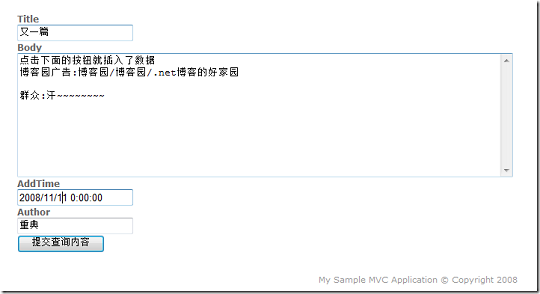
[MetadataType(typeof(ArticleMetadata))]
public partial class Article { }

public class ArticleMetadata {
    [Required(ErrorMessage = "標題不可為空")]
    [StringLength(100, ErrorMessage = "標題長度不得超過 100 字元")]
    public string Title { get; set; }

    [Required(ErrorMessage = "內容不可為空")]
    [DataType(DataType.MultilineText)]
    public string Content { get; set; }

    [DisplayName("發布日期")]
    [DataType(DataType.Date)]
    public DateTime PublishDate { get; set; }
}
複製 DynamicDataMVC\Views\Shared\FieldTemplates 至專案 Views\Shared\FieldTemplates,即可覆寫預設編輯/顯示樣板。例如建立 DateTime_Edit.ascx 使用 jQuery UI Datepicker:
<%@ Control Language="C#" Inherits="System.Web.DynamicData.FieldTemplateUserControl" %>
<script runat="server">
    protected void Page_Load(object sender, EventArgs e) {
        TextBox1.ToolTip = Column.Description;
    }
</script>
<asp:TextBox ID="TextBox1" runat="server" CssClass="date-picker" />
<asp:RequiredFieldValidator ID="RequiredFieldValidator1" runat="server"
    ControlToValidate="TextBox1" ErrorMessage="*" />
同理覆寫 Views\Shared\EntityTemplates\Default_Edit.ascx 控制整體表單佈局(如改用 Table、Div、FieldSet 等)。
使用 ValidationSummary.ascx 統一顯示模型驗證錯誤:
<%= Html.ValidationSummary("請修正下列錯誤:") %>
DynamicData 產生的 Delete 頁面為確認頁,實際刪除在 POST Delete Action 中:
[HttpPost]
public ActionResult Delete(int id) {
    var article = db.Articles.Single(a => a.ID == id);
    db.Articles.DeleteOnSubmit(article);
    db.SubmitChanges();
    return RedirectToAction("Index");
}
ContextConfiguration 中設定 ScaffoldAllTables = false,改用 model.RegisterContext 針對特定實體啟用[ScaffoldTable(false)] 隱藏敏感資料表[Authorize(Roles="Admin")] 限制存取