刪除按鈕設定
CommandField.ShowDeleteButton = True → 自動產生刪除連結,觸發 RowDeleting。ButtonField.CommandName = "Delete" → 同樣觸發 RowDeleting。
後台程式碼
protected void Page_Load(object sender, EventArgs e)
{
    if (!IsPostBack)
    {
        GridView1.DataSource = new ClientInfoAccessObj().GetAllClients();
        GridView1.DataBind();
    }
}

protected void GridView1_RowDeleting(object sender, GridViewDeleteEventArgs e)
{
    var accessor = new ClientInfoAccessObj();
    int clientID = Convert.ToInt32(GridView1.DataKeys[e.RowIndex].Value);
    accessor.DeleteClientInfoForID(clientID);
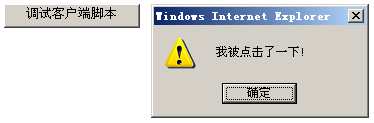
    ClientScript.RegisterClientScriptBlock(this.GetType(), "info", "alert('記錄被刪除');", true);
    GridView1.DataSource = accessor.GetAllClients();
    GridView1.DataBind();
}

protected void GridView1_RowCommand(object sender, GridViewCommandEventArgs e)
{
    // 除錯用:顯示按鈕指令資訊
    lblInfo.Text = string.Format("CommandName={0}, CommandArgument={1}", e.CommandName, e.CommandArgument);
}
重點
- 透過
DataKeys[e.RowIndex] 安全取得主鍵,避免暴露於前端。
- 刪除後立即重新綁定,畫面即時更新。