提供大型 PDF 下載時,IIS 背景程序 CPU 飆高、記憶體持續增長,客戶端出現白屏,必須重啟 IIS 才能恢復服務。
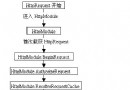
ASP.NET 輔助進程(w3wp.exe)處理下載請求時,將資料傳送至 IIS 進程。若檔案過大,雙進程通訊過程中資料會被緩存在記憶體中,導致伺服器記憶體耗盡。
以 10KB 緩衝區逐塊讀取並寫入輸出串流,避免一次性載入整個檔案。
System.IO.Stream iStream = null;
byte[] buffer = new Byte[10000];
int length;
long dataToRead;
string filepath = "DownloadFileName";
string filename = System.IO.Path.GetFileName(filepath);

try
{
    iStream = new System.IO.FileStream(filepath, FileMode.Open, FileAccess.Read, FileShare.Read);
    dataToRead = iStream.Length;
    Response.ContentType = "application/octet-stream";
    Response.AddHeader("Content-Disposition", "attachment; filename=" + filename);

    while (dataToRead > 0)
    {
        if (Response.IsClientConnected)
        {
            length = iStream.Read(buffer, 0, 10000);
            Response.OutputStream.Write(buffer, 0, length);
            Response.Flush();
            buffer = new Byte[10000];
            dataToRead -= length;
        }
        else
        {
            dataToRead = -1; // 客戶端斷線,防止無限迴圈
        }
    }
}
catch (Exception ex)
{
    Response.Write("Error : " + ex.Message);
}
finally
{
    if (iStream != null) iStream.Close();
}
修改 Web.config:
<compilation debug="false" batch="false" />
原理:debug="true" 會將 Server.ScriptTimeout 設為極大值(30,000,000 秒),導致長時間請求佔用資源。關閉除錯模式後,需根據檔案大小適當調整 Server.ScriptTimeout(預設 90 秒)。
注意:開發環境預設啟用除錯,部署時務必關閉,否則嚴重影響效能。