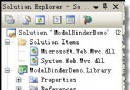
單純修改專案 Target Framework 與 <compilation targetFramework="4.5"/> **不足以** 完成 ASP.NET 4.5 升級,必須同時設定 httpRuntime。
<system.web>
  <httpRuntime targetFramework="4.5" />
  <compilation targetFramework="4.5" />
</system.web>ASP.NET 4.5 預設 compatibilityMode="Framework45",加解密演算法變更。若**未同步升級所有應用程式**,表單驗證票證將無法跨應用程式解密。需依舊版本調整:
<machineKey compatibilityMode="Framework20SP1" />  <!-- .NET 2.0 SP1 相容 -->
<machineKey compatibilityMode="Framework20SP2" /> <!-- .NET 2.0 SP2 相容 -->升級後使用 <asp:RequiredFieldValidator> 等控制項會拋出:
WebForms UnobtrusiveValidationMode requires a ScriptResourceMapping for 'jquery'.
解決:在 <appSettings> 加入:
<add key="ValidationSettings:UnobtrusiveValidationMode" value="None" />或正確註冊 jQuery ScriptResourceMapping。
升級核心在於 httpRuntime targetFramework,並務必處理跨應用程式驗證相容與驗證控制項行為變更。