標準化資料庫連線/關閉模組能減少連線洩漏、統一錯誤處理、提升維護性。本文提供可直接 `Include` 的 `db.asp` 模組,支援多連線管理與交易控制。
<%
' ==========================================
' 資料庫連線管理模組
' 使用方式:
' 1.
' 2. Call DBOpen()
' 3. 使用 conn, rs 執行查詢
' 4. 頁面結束 Call DBClose()
' ==========================================
Dim conn, rs ' 全域變數供 Include 頁面使用
' 開啟連線
Sub DBOpen()
Dim dbPath, connStr
dbPath = Server.MapPath("data/hhinfo.mdb") ' 請依實際路徑調整
connStr = "Provider=Microsoft.Jet.OLEDB.4.0;Data Source=" & dbPath
Set conn = Server.CreateObject("ADODB.Connection")
Set rs = Server.CreateObject("ADODB.Recordset")
On Error Resume Next
conn.Open connStr
If Err.Number <> 0 Then
Err.Clear
Call DBClose()
Response.Write "資料庫連線失敗
"
Response.End
End If
On Error GoTo 0
End Sub
' 關閉連線並釋放資源
Sub DBClose()
On Error Resume Next
If IsObject(rs) Then
If rs.State = 1 Then rs.Close
Set rs = Nothing
End If
If IsObject(conn) Then
If conn.State = 1 Then conn.Close
Set conn = Nothing
End If
On Error GoTo 0
End Sub
' 交易控制
Sub DBBeginTrans()
On Error Resume Next
conn.BeginTrans()
On Error GoTo 0
End Sub
Sub DBCommit()
On Error Resume Next
conn.CommitTrans()
On Error GoTo 0
End Sub
Sub DBRollback()
On Error Resume Next
conn.RollbackTrans()
On Error GoTo 0
End Sub
%><!--#include file="db.asp"-->
<%
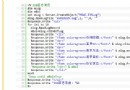
Call DBOpen()
' 查詢範例
Dim sql
sql = "SELECT id, title, create_date FROM news WHERE is_publish=1 ORDER BY create_date DESC"
rs.Open sql, conn, 1, 1 ' adOpenKeyset, adLockReadOnly
If Not rs.EOF Then
Do While Not rs.EOF
Response.Write "" & rs("title") & " " & rs("create_date") & "
"
rs.MoveNext
Loop
End If
rs.Close
' 新增範例 (使用交易)
Call DBBeginTrans()
On Error Resume Next
conn.Execute "INSERT INTO news (title, content, create_date) VALUES ('測試', '內容', NOW())"
conn.Execute "UPDATE stats SET total = total + 1 WHERE stat_date = DATE()"
If Err.Number <> 0 Then
Call DBRollback()
Response.Write "寫入失敗:" & Err.Description
Err.Clear
Else
Call DBCommit()
Response.Write "寫入成功"
End If
On Error GoTo 0
Call DBClose()
%>connStr = "Provider=Microsoft.ACE.OLEDB.12.0;Data Source=" & dbPath & ";Persist Security Info=False;"
' 需安裝 Microsoft Access Database Engine 2016 Redistributable
' IIS 應用程式集區 → 進階設定 → 啟用 32 位元應用程式 = True (若為 32-bit Driver)
| 錯誤 | 原因 | 解決 |
|---|---|---|
| 80004005 未指定的錯誤 | 資料庫檔案唯讀、目錄權限不足、鎖定檔 .ldb 殘留 | 給 IUSR/IIS_IUSRS 寫入權限、刪除 .ldb、檢查檔案屬性 |
| Provider cannot be found | 未安裝 ACE Driver 或位元數不符 | 安裝對應版本 Access Database Engine、設定集區 32-bit |
| Operation must use an updateable query | 資料庫/資料夾唯讀、SQL 包含 ORDER BY 導致 Recordset 唯讀 | 移除 ORDER BY 或設定 adLockOptimistic |