C/C++ 宏的 字串化運算子 #** 可將宏參數轉為字串字面值,常用於除錯日誌:
#define CHECK(condition) std::cout << "check failed: " << #condition << std::endl;

CHECK(myfunc());
// 輸出: check failed: myfunc()
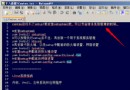
在啟用 Unicode (Visual Studio 專案屬性 → Character Set = Use Unicode Character Set) 時,#condition 產生的是**窄字串** (const char*),若傳給 std::wcout、OutputDebugStringW 或 Windows API (如 MessageBoxW) 會導致:
const char* 轉換至 const wchar_t*L + 連接運算子 ###define CHECK(condition) std::wcout << L"check failed: " << L## #condition << std::endl;
#condition → 字串化為 "myfunc()" (窄字串)L## #condition → ## 連接 L 與字串化結果 → L"myfunc()" (寬字串字面值)std::wcout << L"check failed: " << L"myfunc()" << std::endl;#include
#include // for OutputDebugStringW
// Unicode 專案通用除錯宏
#define LOG_DEBUG(msg) \
do { \
std::wcout << L"[DEBUG] " << L## #msg << std::endl; \
OutputDebugStringW(L"[DEBUG] " L## #msg L"\n"); \
} while(0)
void MyFunction() {
LOG_DEBUG(Enter MyFunction);
// ...
LOG_DEBUG(Exit MyFunction);
}
int main() {
MyFunction();
return 0;
}
使用 _T / TEXT 宏搭配 ##:
#define T_STRINGIZE(x) _T(#x)  // 錯誤:_T 無法直接作用於 # 運算結果

// 正確:分開定義
#if defined(UNICODE) || defined(_UNICODE)
    #define STR(x) L## #x
#else
    #define STR(x) #x
#endif

#define LOG(msg) std::cout << STR(msg) << std::endl;  // 配合 tcout 或 wcout
| 錯誤寫法 | 問題 | 正確寫法 |
|---|---|---|
L#condition | L 作用於 # 運算子,非字串 | L## #condition |
_T(#condition) | _T 是宏,無法包裹預處理器運算子 | 條件編譯定義 STR(x) |
混合 std::cout 輸出寬字串 | 編碼錯誤/亂碼 | 統一用 std::wcout 或 OutputDebugStringW |
字串化運算子 # 配合連接運算子 ## 產生寬字串字面值,是 Unicode 專案中宏除錯的關鍵技巧。記住 L## #param 模式,並統一使用寬字元輸出設施,即可避開編碼陷阱。