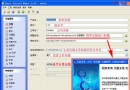
啟動指定執行檔 (含參數),偵測主視窗建立完成,取得視窗句柄 (HWND) 以便後續 SendMessage 互動。
private void btnCreate_Click(object sender, EventArgs e) {
    // 1. 檢查是否已啟動 (避免重複)
    int hWnd = FindWindow(null, "PowerReuse (Beta)"); // 視窗標題
    if (hWnd > 0) {
        MessageBox.Show("程式已執行,HWND=" + hWnd);
        return;
    }

    try {
        Process proc = new Process();
        proc.StartInfo.FileName = @"C:\Test.exe";           // 目標執行檔
        proc.StartInfo.Arguments = @"C:\Temp\abc.prj";      // 命令列參數
        proc.StartInfo.UseShellExecute = true;              // 使用 Shell 執行 (關聯檔案類型)
        proc.Start();

        // 2. 等待輸入閒置 (視窗初始化完成)
        proc.WaitForInputIdle(10000); // 10 秒逾時

        // 3. 輪詢尋找主視窗句柄
        for (int i = 0; i < 100; i++) {
            hWnd = FindWindow(null, "PowerReuse (Beta)");
            if (hWnd > 0) break;
            Thread.Sleep(100);
        }

        if (hWnd == 0) {
            MessageBox.Show("找不到主視窗句柄");
        } else {
            MessageBox.Show($"HWND={hWnd}, Process.Handle={proc.MainWindowHandle}, Title={proc.MainWindowTitle}");
            // 後續可用 SendMessage/PostMessage 與視窗互動
        }
    } catch (Exception ex) {
        MessageBox.Show("啟動失敗: " + ex.Message);
    }
}

// P/Invoke 宣告
[System.Runtime.InteropServices.DllImport("user32.dll", CharSet = System.Runtime.InteropServices.CharSet.Auto)]
private static extern int FindWindow(string lpClassName, string lpWindowName);
| 技術 | 說明 |
|---|---|
| Process.StartInfo | 設定檔案、參數、工作目錄、動詞、視窗樣式等。 |
| UseShellExecute=true | 透過 Shell 執行,支援關聯檔案 (如 .html 開瀏覽器)、UAC 提權。 |
| WaitForInputIdle | 等待進程進入訊息迴圈閒置狀態,代表主視窗已建立 (但不保證完全繪製完成)。 |
| FindWindow | Win32 API,依類別名/視窗標題尋找頂層視窗句柄。類別名可為 null。 |
| 輪詢迴圈 | 視窗建立有時序差異,輪詢 100ms × 100 次 = 10 秒容錯。 |
[DllImport("user32.dll")]
static extern int FindWindowEx(int hwndParent, int hwndChildAfter, string lpszClass, string lpszWindow);

// 遞迴尋找特定控制項
int FindChild(int parent, string className, string title) {
    int child = FindWindowEx(parent, 0, className, title);
    if (child != 0) return child;
    // 遞迴搜尋子孫...
    return 0;
}
FindWindow("MyClass", null)) 或 EnumWindows 回呼比對。FindWindow 只回傳第一個,需 EnumWindows 列舉全部。SendMessage,需同權限或 ChangeWindowMessageFilterEx。