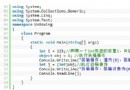
標準 TComboBox 與 TListBox 僅支援純文字顯示。若需在下拉項目前加圖示、變更背景、實現分組標題等豐富視覺效果,必須啟用 OwnerDraw (自繪) 機制。本文以完整可編譯範例,詳細講解 csOwnerDrawVariable / lbOwnerDrawVariable 模式下的核心事件處理、資源管理與繪圖技巧。
OnDrawItem。OnMeasureItem 回傳高度,再由 OnDrawItem 繪製。本範例採用 Variable 模式,展示最高彈性。
object Form1: TForm1
  object ComboBox1: TComboBox
    Style = csOwnerDrawVariable
    OnDrawItem = ComboBox1DrawItem
    OnMeasureItem = ComboBox1MeasureItem
  end
  object ListBox1: TListBox
    Style = lbOwnerDrawVariable
    OnDrawItem = ListBox1DrawItem
    OnMeasureItem = ListBox1MeasureItem
  end
endvar
TheBitmap1..5: TBitmap; // 全域變數,避免重複載入
procedure TForm1.FormCreate(Sender: TObject);
begin
TheBitmap1 := TBitmap.Create; TheBitmap1.LoadFromFile('C:\Delphi\Images\Buttons\globe.bmp');
TheBitmap2 := TBitmap.Create; TheBitmap2.LoadFromFile('C:\Delphi\Images\Buttons\video.bmp');
TheBitmap3 := TBitmap.Create; TheBitmap3.LoadFromFile('C:\Delphi\Images\Buttons\gears.bmp');
TheBitmap4 := TBitmap.Create; TheBitmap4.LoadFromFile('C:\Delphi\Images\Buttons\key.bmp');
TheBitmap5 := TBitmap.Create; TheBitmap5.LoadFromFile('C:\Delphi\Images\Buttons\tools.bmp');
// 關鍵:用 Items.AddObject 將圖片物件與文字綁定
ComboBox1.Items.AddObject('Bitmap1: Globe', TheBitmap1);
ComboBox1.Items.AddObject('Bitmap2: Video', TheBitmap2);
ComboBox1.Items.AddObject('Bitmap3: Gears', TheBitmap3);
ComboBox1.Items.AddObject('Bitmap4: Key', TheBitmap4);
ComboBox1.Items.AddObject('Bitmap5: Tools', TheBitmap5);
ListBox1.Items.Assign(ComboBox1.Items); // 共享同一組資料
end;
procedure TForm1.FormClose(Sender: TObject; var Action: TCloseAction);
begin
TheBitmap1.Free; TheBitmap2.Free; TheBitmap3.Free; TheBitmap4.Free; TheBitmap5.Free;
end;procedure TForm1.ComboBox1MeasureItem(Control: TWinControl; Index: Integer; var Height: Integer);
begin
Height := 20; // 統一高度,亦可根據 Index 動態計算
end;
procedure TForm1.ListBox1MeasureItem(Control: TWinControl; Index: Integer; var Height: Integer);
begin
Height := 20;
end;procedure TForm1.ComboBox1DrawItem(Control: TWinControl; Index: Integer; Rect: TRect; State: TOwnerDrawState);
var
Bmp: TBitmap;
Offset: Integer;
begin
with (Control as TComboBox).Canvas do
begin
// 1. 清除背景 (處理選中/焦點狀態)
FillRect(Rect);
// 2. 取得綁定的圖片物件
Bmp := TBitmap(ComboBox1.Items.Objects[Index]);
if Bmp <> nil then
begin
// 3. 繪製圖片 (左側留 2px 邊距)
BrushCopy(
Bounds(Rect.Left + 2, Rect.Top + 2, Bmp.Width, Bmp.Height),
Bmp,
Bounds(0, 0, Bmp.Width, Bmp.Height),
clRed // 透明色,視圖片實際情況調整
);
Offset := Bmp.Width + 8; // 文字起始 X 偏移 = 圖寬 + 間距
end
else
Offset := 4;
// 4. 繪製文字 (垂直置中需自行計算 Top)
TextOut(Rect.Left + Offset, Rect.Top, ComboBox1.Items[Index]);
end;
end;
// ListBox 邏輯完全相同,僅將 Control 轉型為 TListBox
procedure TForm1.ListBox1DrawItem(Control: TWinControl; Index: Integer; Rect: TRect; State: TOwnerDrawState);
var
Bmp: TBitmap; Offset: Integer;
begin
with (Control as TListBox).Canvas do
begin
FillRect(Rect);
Bmp := TBitmap(ListBox1.Items.Objects[Index]);
if Bmp <> nil then
begin
BrushCopy(Bounds(Rect.Left+2, Rect.Top+2, Bmp.Width, Bmp.Height), Bmp, Bounds(0,0,Bmp.Width,Bmp.Height), clRed);
Offset := Bmp.Width + 8;
end else Offset := 4;
TextOut(Rect.Left + Offset, Rect.Top, ListBox1.Items[Index]);
end;
end;State: TOwnerDrawState 包含 odSelected、odFocused、odHotLight 等標誌。專業繪製應根據狀態切換筆刷/筆顏色:
if odSelected in State then
  Brush.Color := clHighlight
else
  Brush.Color := clWindow;
FillRect(Rect);BrushCopy 最後一個參數指定透明色。若圖片已含 Alpha 通道 (32-bit BMP/PNG),建議改用 Draw 或 StretchDraw,或使用 TImageList 統一管理圖片資源。
現代 Delphi (10.3+) 應啟用 PerMonitorV2 DPI 感知。繪圖座標需乘以 Screen.PixelsPerInch / 96,或使用 MulDiv 縮放尺寸。
FormCreate,釋放於 FormClose (Action := caFree 時)TObjectList 統一擁有權管理OnDrawItem 內 Create/Free 圖片,嚴重影響效能OnDrawItem 內計算多個 TextOut X 座標,實現類報表列表GradientFill、RoundRect 打造現代 UIlbVirtual / csVirtual,按需繪製OnMouseMove 追蹤 ItemIndex 重繪熱軌項目本文範例包含 Ownerdrw.pas、Ownerdrw.dfm 完整源碼,可直接編入專案編譯運行。建議以此為基礎,封裝為可複用的 TOwnerDrawComboBox / TOwnerDrawListBox 元件庫,提升團隊開發效率。