ASP.NET WebForms 經典場景:使用者上傳圖片,伺服器端以 System.Drawing 產生固定寬度的等比例縮略圖,並依業務分類 (首頁輪播、週刊推薦、一般列表) 套用不同尺寸規則。
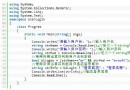
if (fileupload.PostedFile != null)
{
    // 1. 取得副檔名
    string originalName = fileupload.PostedFile.FileName;
    int dotIdx = originalName.LastIndexOf(".");
    string ext = originalName.Substring(dotIdx);

    // 2. 產生唯一檔名:年份天數 + 檔案大小
    DateTime now = DateTime.Now;
    string newName = now.DayOfYear.ToString() + fileupload.PostedFile.ContentLength.ToString();

    // 3. 儲存原圖
    string savePath = Server.MapPath("~/upload/" + newName + ext);
    fileupload.PostedFile.SaveAs(savePath);

    // 4. 產生縮略圖
    System.Drawing.Image img = System.Drawing.Image.FromFile(savePath);
    int width = img.Width, height = img.Height;
    int newWidth, newHeight;

    // 業務尺寸規則
    if (firstpageshow.SelectedValue == "1" && fenlei.SelectedValue == "5")
    { newWidth = 203; newHeight = height * newWidth / width; }
    else if (isweekman.SelectedValue == "1")
    { newWidth = 171; newHeight = height * newWidth / width; }
    else if (firstpageshow.SelectedValue == "1" && fenlei.SelectedValue == "3")
    { newWidth = 171; newHeight = height * newWidth / width; }
    else
    { newWidth = 62; newHeight = height * newWidth / width; }

    System.Drawing.Image thumb = img.GetThumbnailImage(newWidth, newHeight,
        new System.Drawing.Image.GetThumbnailImageAbort(ThumbnailCallback), IntPtr.Zero);

    string thumbPath = Server.MapPath("~/upload/small_" + newName + ext);
    thumb.Save(thumbPath);

    // 5. 釋放資源
    img.Dispose();
    thumb.Dispose();

    // 6. 回傳路徑供前端顯示
    pic = "upload/" + newName + ext;
    smallpic = "upload/small_" + newName + ext;
}newHeight = height * newWidth / width 保持長寬比,避免變形。Graphics.DrawImage + InterpolationMode.HighQualityBicubic。Image 實作 IDisposable,務必 Dispose() 釋放 GDI+ 控制代碼,防止記憶體洩漏。Guid.NewGuid() 或 DateTime.Ticks。PostedFile.ContentType 為 image/ 開頭。< 5MB)。execute 權限移除,防止上傳腳本執行。System.Drawing.Common 僅支援 Windows;跨平台請改用 ImageSharp、SkiaSharp 或 Magick.NET 純 managed 影像庫。