判斷字串是否僅由空白字元組成是資料清洗、輸入驗證的常見需求。Python isspace() 方法專為此設計,能識別空格、定位鍵、換行、換頁等所有 Unicode 空白字元。本文詳細說明語法、判斷規則、支援字元類型與實戰範例。
str.isspace()回傳值規則:
True。False。isspace() 依 Unicode 標準判斷,涵蓋(不限於):
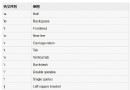
空格 (U+0020)\t 定位鍵/Tab (U+0009)\n 換行/LF (U+000A)\r 歸位/CR (U+000D)\v 垂直定位鍵 (U+000B)\f 換頁 (U+000C) (U+3000)#!/usr/bin/python3
# 範例 1:純空格
s1 = " "
print(s1.isspace()) # True
# 範例 2:混合空白字元
s2 = " \t\n\r\v\f "
print(s2.isspace()) # True
# 範例 3:全形空格
s3 = " "
print(s3.isspace()) # True
# 範例 4:含非空白字元
s4 = " this is string "
print(s4.isspace()) # False
# 範例 5:空字串
s5 = ""
print(s5.isspace()) # False(至少需一個字元)
# 範例 6:實務檢查使用者輸入
def is_blank(s):
return not s or s.isspace()
print(is_blank("")) # True
print(is_blank(" ")) # True
print(is_blank("\t\n")) # True
print(is_blank("abc")) # False
print(is_blank(" a ")) # Falsesplit() 前先用 isspace() 過濾空行。# 僅判斷 ASCII 空白(排除全形空格等)
def is_ascii_space(s):
return all(' ' <= c <= '\r' or c in '\t\n\r\v\f' for c in s) and len(s) > 0
# 移除首尾空白後再判斷是否為空
def is_effectively_blank(s):
return not s.strip()
print(is_effectively_blank(" \t ")) # True
print(is_effectively_blank(" a ")) # False| 方法 | 用途 | 範例回傳 True |
|---|---|---|
| isspace() | 全為空白字元 | " \t\n" |
| strip() | 移除首尾空白 | "abc" (from " abc ") |
| split() | 依空白分割 | ['a', 'b'] (from "a b") |
| splitlines() | 依換行分割 | ['a', 'b'] (from "a\nb") |
isspace() 是檢查「純空白字串」的標準方法,支援完整 Unicode 空白字元。搭配 strip()、split() 等方法,能構建完整的文字輸入驗證與清洗流程。記住:空字串回傳 False,若需視空字串為空白,請用 not s or s.isspace()。