Python 內建 pydoc 模組提供零配置、即時可用的文件產生功能:支援終端機瀏覽、HTTP 伺服器預覽、HTML 匯出、關鍵字搜尋,適合快速查閱標準庫、第三方套件或專案模組文件。本文系統整理四大使用模式、參數詳解、自訂模組文件範例、最佳實務。
# Windows
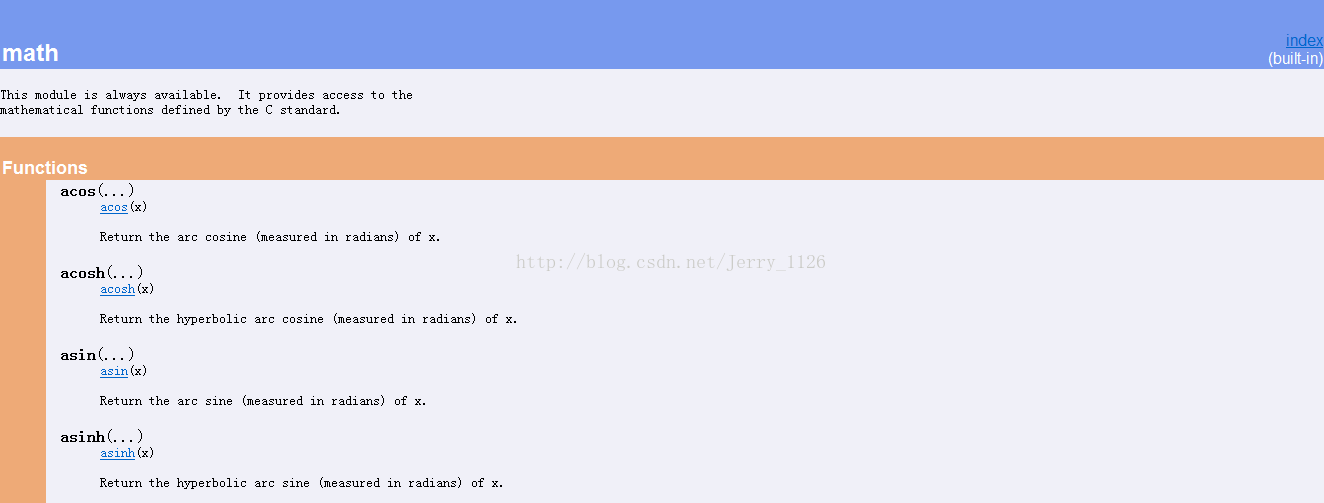
python -m pydoc math

# Linux/macOS
pydoc math
輸出類似 man page,按 q 離開,空白鍵 翻頁。
# 啟動伺服器於 port 1234
python -m pydoc -p 1234
# pydoc server ready at https://localhost:1234/
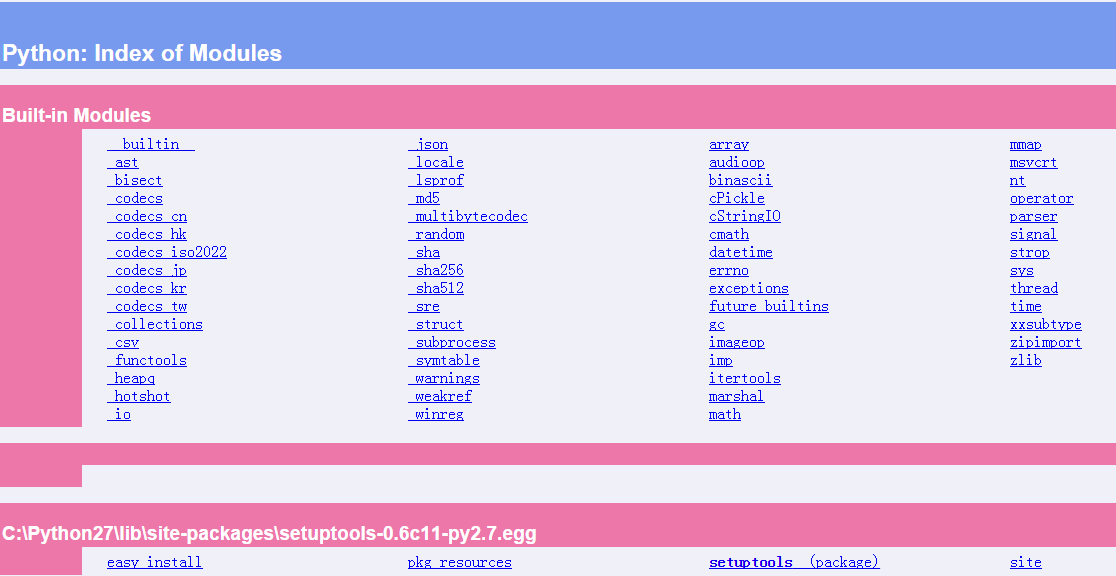
https://localhost:1234/Ctrl+C 停止伺服器
# 匯出單一模組
python -m pydoc -w math
# wrote math.html

# 匯出專案模組
python -m pydoc -w my_package.my_module
# 搜尋所有模組簡介含 xml.sax 的項目
python -m pydoc -k xml.sax
# xml.sax (package) - Simple API for XML (SAX) implementation for Python.
# xml.sax._exceptions - Different kinds of SAX Exceptions
# ...
| 參數 | 功能 | 範例 |
|---|---|---|
-h | 顯示幫助 | pydoc -h |
-k <keyword> | 關鍵字搜尋 | pydoc -k json |
-p <port> | 啟動 HTTP 伺服器 | pydoc -p 8080 |
-w <name> | 匯出 HTML 檔案 | pydoc -w os.path |
<name> | 顯示文件(文字模式) | pydoc sys |
# my_doc.py
"""
Showoff features of Pydoc module
This is easy module to demonstrate docstrings
"""

__authors__ = 'Alice & Fred'
__version__ = 'version 1.10'
__license__ = 'Copyright...'

class MyClass:
    """Demonstrate Class Docstrings"""
    def __init__(self, spam=1, eggs=2):
        """
        Set the default attribute values only
        Keyword arguments:
        spam - a processed meat product
        eggs - a fine breakfast for lumberjacks
        """
        self.spam = spam
        self.eggs = eggs

def square(x):
    """Square of the param x"""
    return x * x
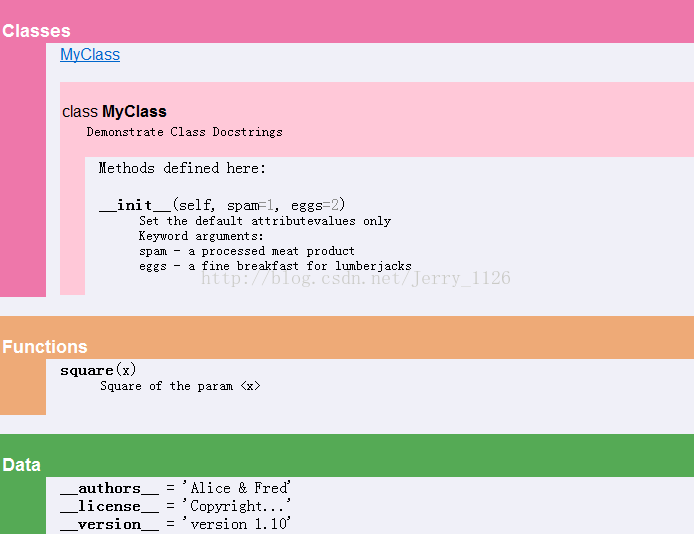
$ python -m pydoc my_doc
Help on module my_doc:
NAME
    my_doc
FILE
    d:\learnpython\my_doc.py
DESCRIPTION
    Showoff features of Pydoc module
    This is easy module to demonstrate docstrings
CLASSES
    MyClass
    class MyClass
        | Demonstrate Class Docstrings
        |
        | Methods defined here:
        |
        | __init__(self, spam=1, eggs=2)
        | Set the default attribute values only
        | Keyword arguments:
        | spam - a processed meat product
        | eggs - a fine breakfast for lumberjacks
FUNCTIONS
    square(x)
    Square of the param x
DATA
    __authors__ = 'Alice & Fred'
    __license__ = 'Copyright...'
    __version__ = 'version 1.10'
VERSION
    version 1.10
| 對象 | 慣例 | 範例 |
|---|---|---|
| 模組 | 頂層 """...""",說明用途、作者、授權 | """My great module.""" |
| 類別 | 定義下一行 """...""",說明職責、不變條件 | class User: """User account.""" |
| 函式/方法 | 定義下一行 """...""",說明功能、參數、回傳、例外 | 參考 square 範例 |
| 屬性/常數 | 單行註解 # 或模組層級 __all__ | MAX_SIZE = 100 # 最大緩衝區 |
| 特性 | pydoc | Sphinx | pdoc |
|---|---|---|---|
| 安裝 | 內建 | pip install sphinx | pip install pdoc |
| 輸出格式 | Text, HTML | HTML, PDF, EPUB, LaTeX | HTML, Markdown |
| 專案規模 | 單模組/小專案 | 大型專案、官方文件 | 中型專案、API 參考 |
| 配置複雜度 | 零 | 高 | 低 |
| 跨模組連結 | 有限 | 完整 | 良好 |
| 主題客製 | 無 | 豐富 | 支援 |
pydoc 是 Python 開發者的「隨身文件庫」:無需安裝、即查即用、支援多種輸出。日常開發用終端機模式快速查閱、撰寫文件時用HTTP 伺服器預覽、交付時用HTML 匯出。養成撰寫標準文件字串習慣,配合 pydoc -k 搜尋,能大幅提升查閱效率。專案正式文件化需求請升級 Sphinx 或 pdoc。