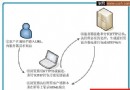
為了讓使用者擁有個人化網址 (如 `user1.example.com`、`shop.example.com`),ASP.NET 2.0 可透過 DNS 泛解析 + IIS 主機標頭綁定 + URL Rewrite + Profile/Session 實現真二級域名存取。本文整理兩種主流架構:單站點重導向 (簡易) 與 雙站點真二級域名 (完整)。
public void CheckDomain() {
    string host = Request.Url.Host.ToLower(); // 取得完整主機名
    string[] parts = host.Split('.');         // 以 . 分割

    // 基本格式驗證:sub.example.com → parts.Length == 3
    if (parts.Length > 3) {
        Response.Redirect("https://www.example.com/Error.aspx");
        return;
    }

    string subDomain = parts[0]; // 取得二級域名 (user1)

    // 排除保留字
    string[] reserved = { "www", "mail", "ftp", "example", "" };
    if (Array.Exists(reserved, r => r == subDomain)) {
        // 存取主站邏輯,或重導向至首頁
        return;
    }

    // 重導向至使用者區 (偽二級域名,網址列會變)
    Response.Redirect("/User/?uid=" + subDomain);
}缺點:瀏覽器網址列會變成 `www.example.com/User/?uid=user1`,**非真二級域名**,SEO 與使用者體驗較差。
| 站點 | 主機標頭 | 實體路徑 | 預設文件 |
|---|---|---|---|
| 主站點 | `www.example.com`, `example.com` | `D:\Web\Main` | `Default.aspx` |
| 二級域站點 | **留空** (捕獲所有 `*.example.com`) | `D:\Web\Main` (同目錄) | `Index.aspx` |
public void CaptureSubDomain() {
    string host = Request.Url.Host.ToLower();
    string[] parts = host.Split('.');
    if (parts.Length > 3) { Response.Redirect("https://www.example.com/Error.aspx"); return; }

    string sub = parts[0];
    string[] reserved = { "www", "example", "" };
    if (Array.Exists(reserved, r => r == sub)) { /* 主站邏輯 */ return; }

    // 存入 Profile (ASP.NET 2.0 新功能,自動持久化)
    Profile.SubDomain = sub;
    // 或存入 Session
    Session["SubDomain"] = sub;

    // 重導向至使用者區首頁 (相對路徑,配合 Rewrite 保持網址)
    Response.Redirect("~/User/");
}<rewriter>
<!-- 根目錄 Index.aspx → 使用者區首頁 -->
<rewrite url="^~/Index\.aspx$" to="~/User/Default.aspx" />
<!-- 使用者區所有頁面保持二級域名網址 -->
<rewrite url="^~/User/(.+)\.aspx$" to="~/User/$1.aspx" />
<!-- 亦可寫成通用規則:^/User/(.*)$ → /User/$1 -->
</rewriter>IIS 7+ `web.config` 寫法:
<system.webServer>
  <rewrite>
    <rules>
      <rule name="SubDomainRoot" stopProcessing="true">
        <match url="^Index\.aspx$" />
        <action type="Rewrite" url="User/Default.aspx" />
      </rule>
      <rule name="SubDomainPages" stopProcessing="true">
        <match url="^User/(.+)" />
        <action type="Rewrite" url="User/{R:1}" />
      </rule>
    </rules>
  </rewrite>
</system.webServer>string sub = Profile.SubDomain; // 或 Session["SubDomain"]
// 顯示歡迎訊息、查詢該使用者資料...
lblWelcome.Text = "歡迎 " + sub + " 光臨!";| 需求 | 推薦架構 |
|---|---|
| 快速原型、內部工具、不介意網址變化 | 架構一:單站點重導向 |
| 正式產品、SEO 重要、使用者體驗優先 | 架構二:雙站點 + URL Rewrite |
| 新專案、.NET Core / 5+ | Middleware 架構 (無需 IIS 特殊設定) |
正確實作二級域名,關鍵在於 DNS → IIS 綁定 → 擷取 Host → 持久化身分 → URL Rewrite 保持網址 這條鏈路環環相扣。建議先在測試環境完整跑通流程再上線。