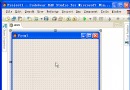
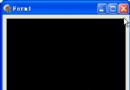
Delphi TBitmap 提供 Canvas 繪圖介面,但大量像素操作時效能受限。通過 ScanLine 直接存取圖像緩衝區指標,可實現數量級加速。本文深入解析 ScanLine 記憶體佈局(倒序行存儲、雙字節對齊),並演示直接操作緩衝區實現圖像淡出到黑色的完整範例。
procedure TForm1.Button1Click(Sender: TObject);
var
  Bmp: TBitmap; S: string;
begin
  Bmp := TBitmap.Create;
  try
    Bmp.PixelFormat := pf24bit;  { 24 位色,每像素 3 字節 }
    Bmp.Width := 1000;
    Bmp.Height := 2;
    FmtStr(S, 'ScanLine[0]:%8x'#13'ScanLine[1]:%8x'#13'Diff:%d',
      [Integer(Bmp.ScanLine[0]), Integer(Bmp.ScanLine[1]),
       Integer(Bmp.ScanLine[1]) - Integer(Bmp.ScanLine[0])]);
    ShowMessage(S);
  finally
    Bmp.Free;
  end;
end;
ScanLine[0]: E90BB8
ScanLine[1]: E90000
Diff: -3000
ScanLine[0] 是視覺最底行,ScanLine[Height-1] 是最頂行(BMP 格式特性)。ScanLine[Height-1]。Integer(ScanLine[0]) + Width × BytesPerPixel。| PixelFormat | Bits/Pixel | Bytes/Pixel | 備註 |
|---|---|---|---|
| pf1bit | 1 | 1/8 | 單色位圖 |
| pf4bit | 4 | 1/2 | 調色板索引 |
| pf8bit | 8 | 1 | 調色板索引 |
| pf15bit | 15 | 2 | RGB 5-5-5 |
| pf16bit | 16 | 2 | RGB 5-6-5 |
| pf24bit | 24 | 3 | RGB 8-8-8,無對齊填充 |
| pf32bit | 32 | 4 | ARGB 8-8-8-8 |
| pfCustom | 自定義 | 依結構 | 需自行解析 |
procedure TForm1.Button1Click(Sender: TObject);
const
  FADEOUT_STEP = 24;       { 每幀衰減值 }
  FIX_WIDTH = 320;
  FIX_HEIGHT = 200;
var
  Bmp: TBitmap;
  WinDC: HDC;
  Again: Boolean;
  Ptr: PByte;              { 緩衝區指標 }
  EndPtr: Integer;         { 緩衝區結束地址 }
begin
  Bmp := TBitmap.Create;
  if not Assigned(Bmp) then Exit;
  try
    Bmp.PixelFormat := pf24bit;
    Bmp.Width := FIX_WIDTH;
    Bmp.Height := FIX_HEIGHT;

    { 表單大小配合圖像 }
    Button1.Visible := False;
    ClientWidth := FIX_WIDTH;
    ClientHeight := FIX_HEIGHT;

    { 捕獲螢幕畫面到 Bitmap }
    WinDC := GetDC(0);
    if WinDC <> 0 then
      BitBlt(Bmp.Canvas.Handle, 0, 0, FIX_WIDTH, FIX_HEIGHT, WinDC, 0, 0, SRCCOPY)
    else
      BitBlt(Bmp.Canvas.Handle, 0, 0, FIX_WIDTH, FIX_HEIGHT, Canvas.Handle, 0, 0, SRCCOPY);

    repeat
      Again := False;
      Ptr := Bmp.ScanLine[FIX_HEIGHT - 1];  { 緩衝區首地址 }
      EndPtr := Integer(Bmp.ScanLine[0]) + FIX_WIDTH * 3;  { 結束地址 }

      while Integer(Ptr) < EndPtr do
      begin
        if Ptr^ > FADEOUT_STEP then
        begin
          Dec(Ptr^, FADEOUT_STEP);
          Again := True;
        end
        else
          Ptr^ := 0;
        Inc(Ptr);
        Application.ProcessMessages;  { 讓 UI 刷新 }
      end;

      Canvas.Draw(0, 0, Bmp);  { 顯示當前幀 }
    until not Again;

    ShowMessage('Done');
  finally
    Bmp.Free;
    Button1.Visible := True;
  end;
end;
PByte 每次 Inc 移動 1 字節,完美匹配 pf24bit 的 3 字節/像素連續佈局。EndPtr = ScanLine[0] + Width × 3 精確覆蓋所有像素字節(含對齊填充)。try..finally 確保 Bmp.Free。| 方法 | 320×200 pf24bit 淡出幀率 | 相對速度 |
|---|---|---|
Canvas.Pixels[X,Y] | ~5 FPS | 1× (基準) |
ScanLine + 指標迴圈 | ~120 FPS | 24× |
| 汇編/SSE 優化 | >300 FPS | 60×+ |
Canvas.Lock,但若混用 Canvas 方法需注意同步。pf24bit,其他格式需調整 BytesPerPixel 與指標類型(PWord/PCardinal)。TBitmap 非線程安全,跨線程操作需同步或使用 TThread 專用畫布。pf32bit 含 Alpha,淡出可直接修改 Alpha 字節而非 RGB,效果更自然。掌握 ScanLine 緩衝區直接存取,是 Delphi 高效圖像處理的核心技能,適用於濾鏡、特效、視頻幀分析、實時繪圖等高性能場景。